Description
Brand: YoLuKe
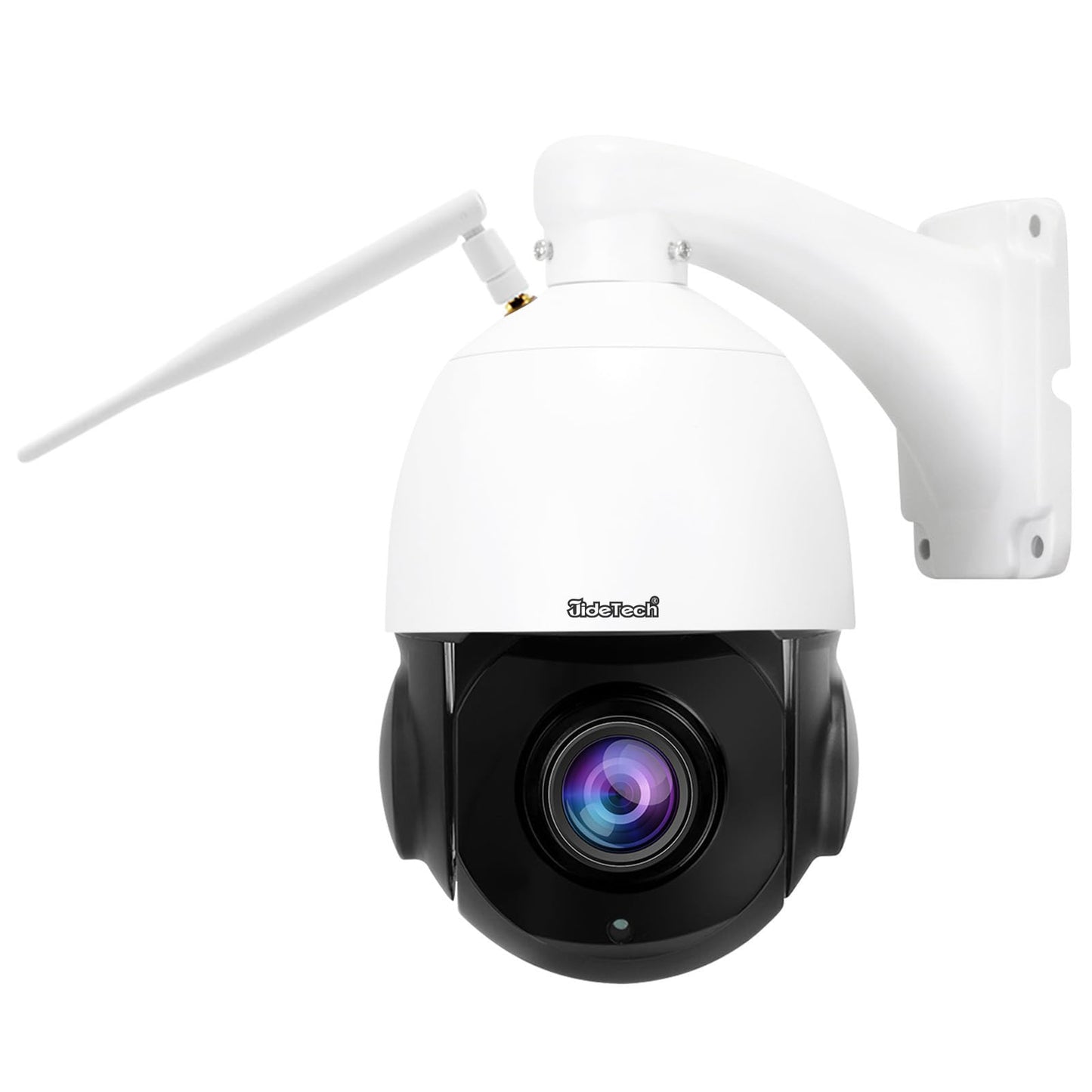
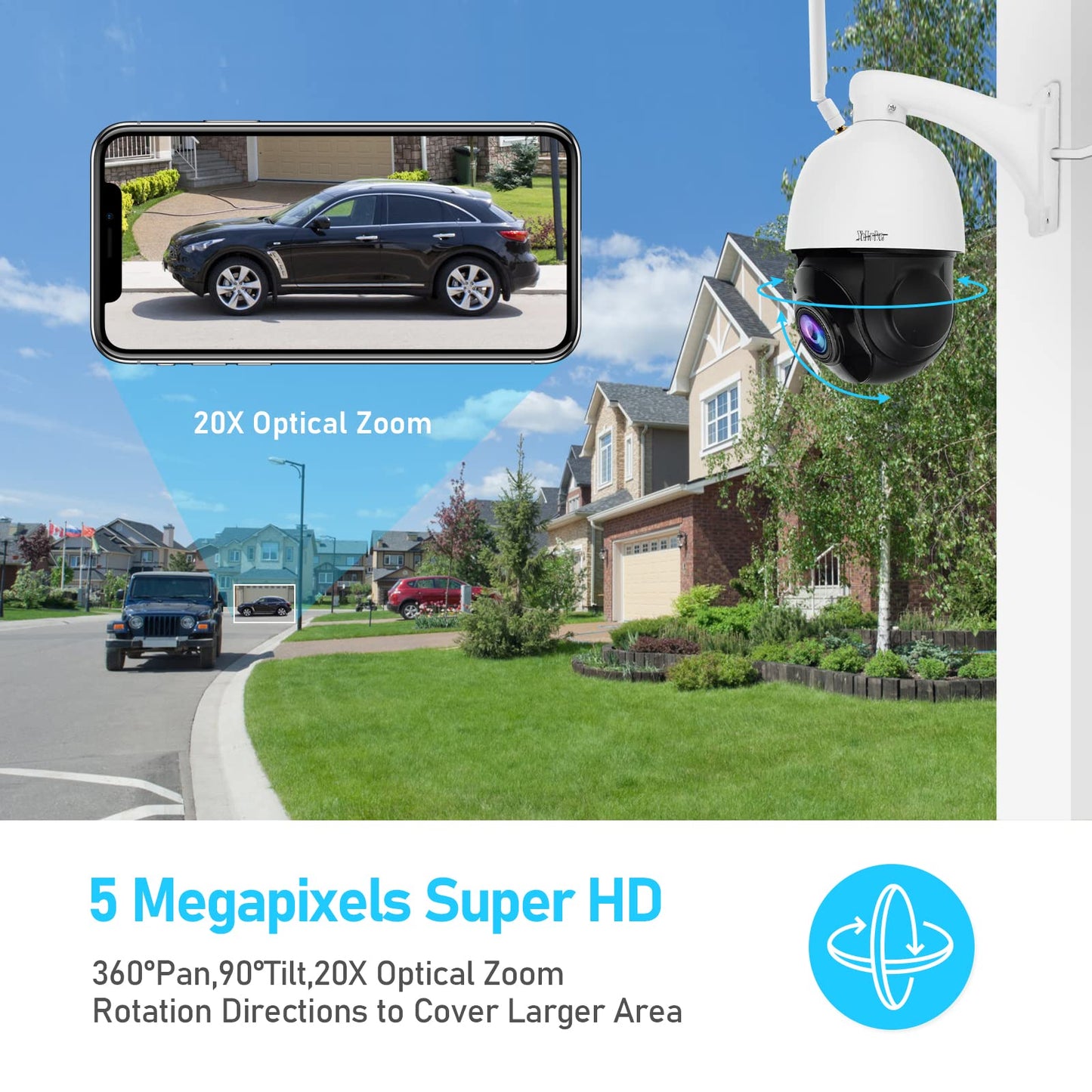
• ?HD 5MP&20X Optical Zoom?YoLuke PTZ Camera Outdoor With 5MP Pixels,20X Optical Zoom make sure the image quality will not distortion when zoom in.360 ° viewing angle camera with an outstanding choice to be placed on a corner of an eave where it can constantly monitor the largest possible area.
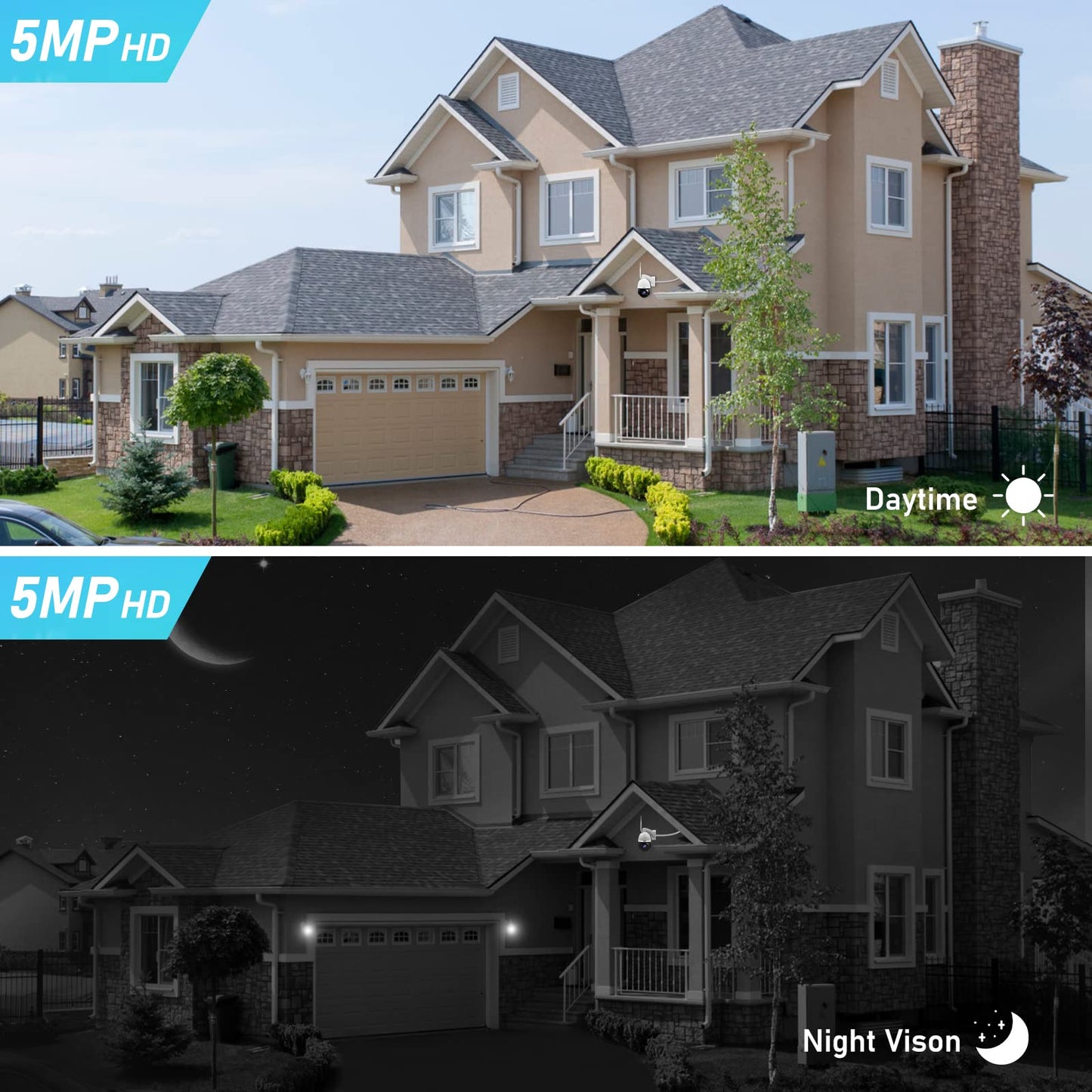
• ?Auto Tracking&HD Night Vision?The PTZ cmera with improved smart motion detection function and auto tracking less false alarm, Alarm emails push,FTP service.Outdoor wifi camera built in IR Led Lights, super night time vision seems almost too good to be true when comparing the day and nighttime images.The visible distance is up to 1,000ft during the day.The visible range at night is approximately 400ft.
• ?PTZ&Record Playback Video?WiFi PTZ Camera Rotate 360° horizontally and 90°vertically,automatic patrol,auto-tracking,support Auto-Focus,Smooth and error-free transfer of images.Camera with a 128GB SD card slot(No SD card),support all day motion detection recording and Replay video.
• How to WiFi Connection? Auto Configure Network: 1. Click on the “CamHipro” APP. 2. Click on ( Add Camera > IP Camera>Net Device> Power is on.net step).3. Click on “Not connected to the network cable" 4. Choose camera type "AP distribution network equipment" and click on “Go add", then scan the QR code on the camera. 5. Click “Join" and wait for connecting. 6. Fill with the WlFl password and wait for configuration. 7. Set a new name for the camera and click "confirm". 8. The screen showed "Online" means the camera is connected. 9, Set a new password for the camera. 10. Setting completed.
• Note: 1).When first connection, whether it is WiFi connection or POE connection, the mobile phone needs to be connected to Loca Router WlFl. 2.) Ensure that the mobile phone and the camera are on the same local router WlFl network, so that the mobile phone can be connected to the camera.3.)The WlFl camera only support 2.4G network.4). In order to have a more stable network environment, please configure the camera within 5 meters from the router.
• ?Mobile phone operation & 128G Max? You can download the "CamhiPro" APP through the APP Store, control the PTZ camera through remote operation, realize camera rotation, zoom, view real-time images, etc. The camera has a built-in SD card slot, which supports a maximum of 128G SD card (not included)
• ?Two Way Audio&Third Party Compatible?Built-in advanced microphone & speaker and with anti noise technology reduce false positives for a clear voice communicating between the APP and camera.The IP66 rating weatherproof design leaves you free of worrying about rain.Compatible with 3 party software such as ispy,Milestone,and Blue Iris;also compatible with Chrome,Internet Explorer,and Firefox browsers,protocol etc.
How to WiFi Connection?Note:
1.When first connection, whether it is WiFi connection or POE connection, the mobile phone needs to be connected to Loca Router WlFl.
2. Ensure that the mobile phone and the camera are on the same local router WlFl network, so that the mobile phone can be connected to the camera.
3. The WlFl camera only support 2.4G network.
4. In order to have a more stable network environment, please configure the camera within 5 meters from the router.A. Auto Configure Network:1. Click on the “CamHipro” APP.2. Click on ( Add Camera > IP Camera>Net Device> Power is on.net step).3. Click on “Not connected to the network cable"
4. Choose camera type "AP distribution network equipment" and click on “Go add", then scan the QR code on the camera.
5. Click “Join" and wait for connecting. 6. Fill with the WlFl password and wait for configuration
7, Set a new name for the camera and click "confirm"
8. The screen showed "Online" means the camera is connected.
9, Set a new password for the camera.
10. Setting completed.B. Manually Configure Network:
1. lf you failed to join the network in Auto Configure Network(Step5), please choose "Manual distribution network" / “ADD Manully"and turn on the mobile phone setting to connect the device named “|PCAM-XXXXX".2. Back to the “Camhipro" APP, click on (Add to > Configure wireless and add devices)
3. Finished connection and set a new name and a new password for the camera
4. Setting completed.
• ?HD 5MP&20X Optical Zoom?YoLuke PTZ Camera Outdoor With 5MP Pixels,20X Optical Zoom make sure the image quality will not distortion when zoom in.360 ° viewing angle camera with an outstanding choice to be placed on a corner of an eave where it can constantly monitor the largest possible area.
• ?Auto Tracking&HD Night Vision?The PTZ cmera with improved smart motion detection function and auto tracking less false alarm, Alarm emails push,FTP service.Outdoor wifi camera built in IR Led Lights, super night time vision seems almost too good to be true when comparing the day and nighttime images.The visible distance is up to 1,000ft during the day.The visible range at night is approximately 400ft.
• ?PTZ&Record Playback Video?WiFi PTZ Camera Rotate 360° horizontally and 90°vertically,automatic patrol,auto-tracking,support Auto-Focus,Smooth and error-free transfer of images.Camera with a 128GB SD card slot(No SD card),support all day motion detection recording and Replay video.
• How to WiFi Connection? Auto Configure Network: 1. Click on the “CamHipro” APP. 2. Click on ( Add Camera > IP Camera>Net Device> Power is on.net step).3. Click on “Not connected to the network cable" 4. Choose camera type "AP distribution network equipment" and click on “Go add", then scan the QR code on the camera. 5. Click “Join" and wait for connecting. 6. Fill with the WlFl password and wait for configuration. 7. Set a new name for the camera and click "confirm". 8. The screen showed "Online" means the camera is connected. 9, Set a new password for the camera. 10. Setting completed.
• Note: 1).When first connection, whether it is WiFi connection or POE connection, the mobile phone needs to be connected to Loca Router WlFl. 2.) Ensure that the mobile phone and the camera are on the same local router WlFl network, so that the mobile phone can be connected to the camera.3.)The WlFl camera only support 2.4G network.4). In order to have a more stable network environment, please configure the camera within 5 meters from the router.
• ?Mobile phone operation & 128G Max? You can download the "CamhiPro" APP through the APP Store, control the PTZ camera through remote operation, realize camera rotation, zoom, view real-time images, etc. The camera has a built-in SD card slot, which supports a maximum of 128G SD card (not included)
• ?Two Way Audio&Third Party Compatible?Built-in advanced microphone & speaker and with anti noise technology reduce false positives for a clear voice communicating between the APP and camera.The IP66 rating weatherproof design leaves you free of worrying about rain.Compatible with 3 party software such as ispy,Milestone,and Blue Iris;also compatible with Chrome,Internet Explorer,and Firefox browsers,protocol etc.
Additional Information
Delivery Information
Swift, Secure, and Reliable Shipping
At craftedyogi.com, we understand how important fast and dependable delivery is when it comes to your electronics. Whether it's a gadget, accessory, or device, we are committed to providing a seamless and efficient shipping experience to ensure your electronics arrive safely and on time.
Our Shipping Process
Order Processing
As soon as you place your order, our dedicated team begins processing it promptly to ensure quick dispatch. We aim to ship all electronics within 2 business days of order confirmation, excluding weekends and holidays.
Secure Packaging
Your electronics are valuable, and we treat them with the highest level of care. Each item is carefully packed using high-quality, protective packaging materials to prevent damage during transit. We ensure your products arrive in excellent condition, ready to use.
Shipping Partners
We partner with reputable and trusted shipping carriers to guarantee safe and timely delivery. Once your order ships, you’ll receive a tracking number so you can monitor your package in real time and stay updated on its delivery status.
Transit Time
USA Shipping: 4–7 business days after dispatch.
Shipping Costs
We Offer free shipping for Domestic orders inside USA.
Delivery Support
Our customer support team is here to assist you every step of the way. If you have any questions about your order, shipping timelines, or tracking details, please feel free to contact us:
📧 Email: support@craftedyogi.com
We’re dedicated to ensuring your electronics reach you quickly and securely. Your satisfaction is our top priority.
Thank you for choosing craftedyogi.com for your electronics needs. We look forward to delivering innovation and convenience right to your doorstep. Unbox with confidence and enjoy your new technology!
Reviews
My Wishlist
Wishlist is empty.
Compare
Shopping cart


