
Description
Brand: GAMFAMI
Connect 1. Connect to PS-5 When your controller hasn’t been paired with your current PS-5 console or has been connected to another console, Use a USB cable to connect the controller to your PS-5 console. During the connection, the system will automatically pair the controller. Once paired, remove the USB cable and press the HOME button. The controller will now connect wirelessly via Bluetooth. The LED light will stay on with a steady color, indicating it’s successfully connected to your console. 2. Connect to Windows PC Turn off the controller. Press and hold the SHARE button and the HOME button together. Hold both for 3 seconds. The LED light will flash white. On your PC, open Bluetooth settings and start searching for devices. Find and click on "DualSense Wireless Controller" in the device list to pair. When paired successfully, the LED light will stay on. 3. Connect to Steam Deck Turn off your controller. Press and hold the SHARE button and the HOME button together. Hold both for 3 seconds. The LED light will flash white. Open Bluetooth settings on your Steam Deck. Find and click on "DualSense Wireless Controller" to connect. Once connected, the LED light will stay on. 4. Connect to Mac Open System Preferences > Bluetooth and turn Bluetooth on. With the controller off, hold SHARE + HOME (PS button) together for 3 seconds until its light flashes white. On your Mac, find "DualSense Wireless Controller" in the Bluetooth devices list, click Pair, and wait a few seconds-it'll connect automatically.
• ?Wide Applicability? In addition to being compatible with PS5, it also compatible with PC/Steam Deck/MAC/Android phones/iOS phones, meeting your varied needs.
• ?Hall Effect Technology?This game controller is equipped with two Hall-effect joysticks and two Hall-effect trigger buttons. And it has a calibration function,The Hall-effect joysticks prevent drift and offer enhanced feedback. The Hall-effect Linear triggers, featuring adjustable resistance levels, enable you to sense every action. With a response time under 0.1ms and 256 levels of pressure sensitivity, you can experience instant trigger recognition in FPS games.
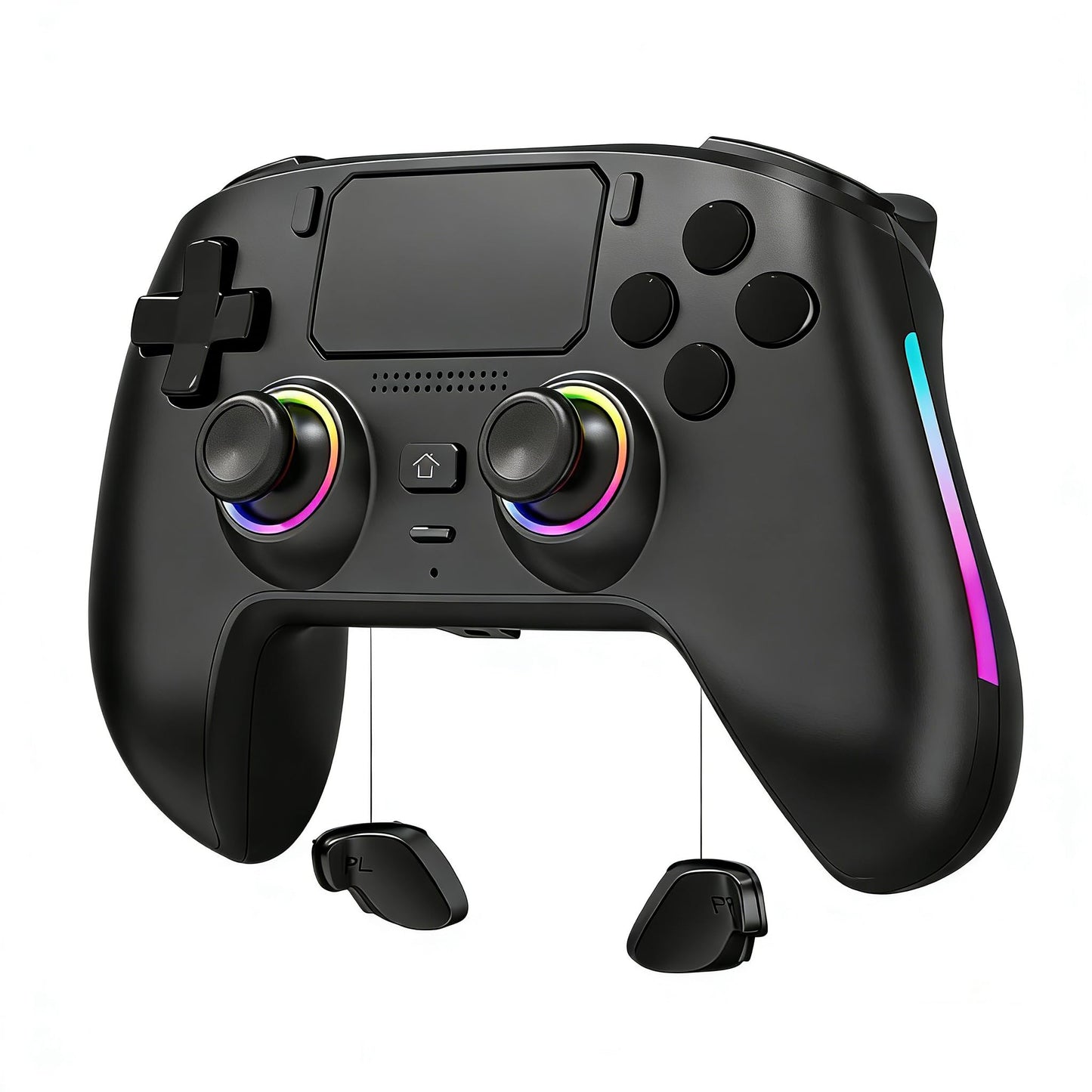
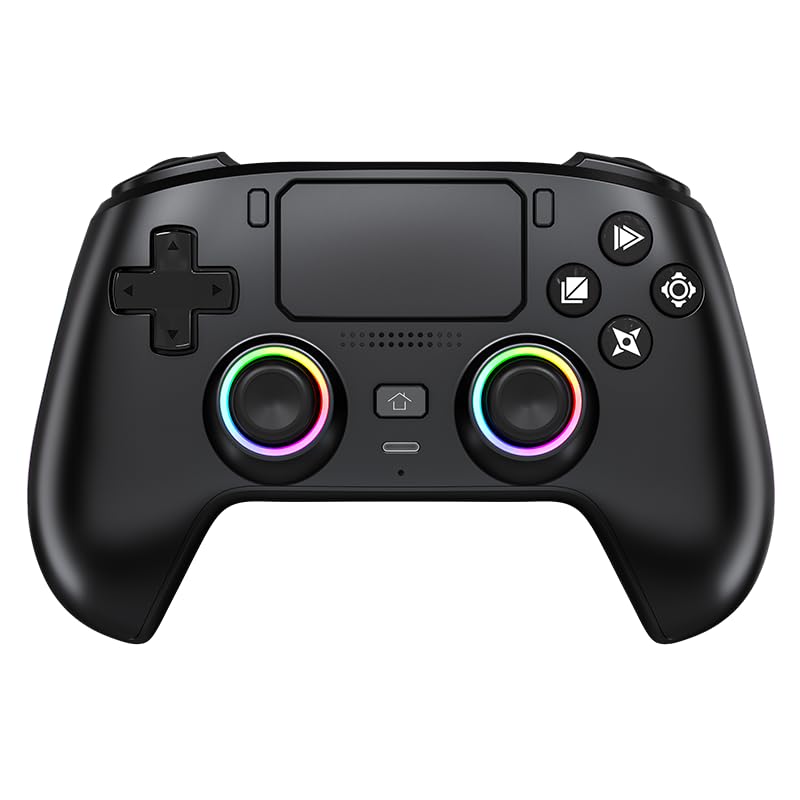
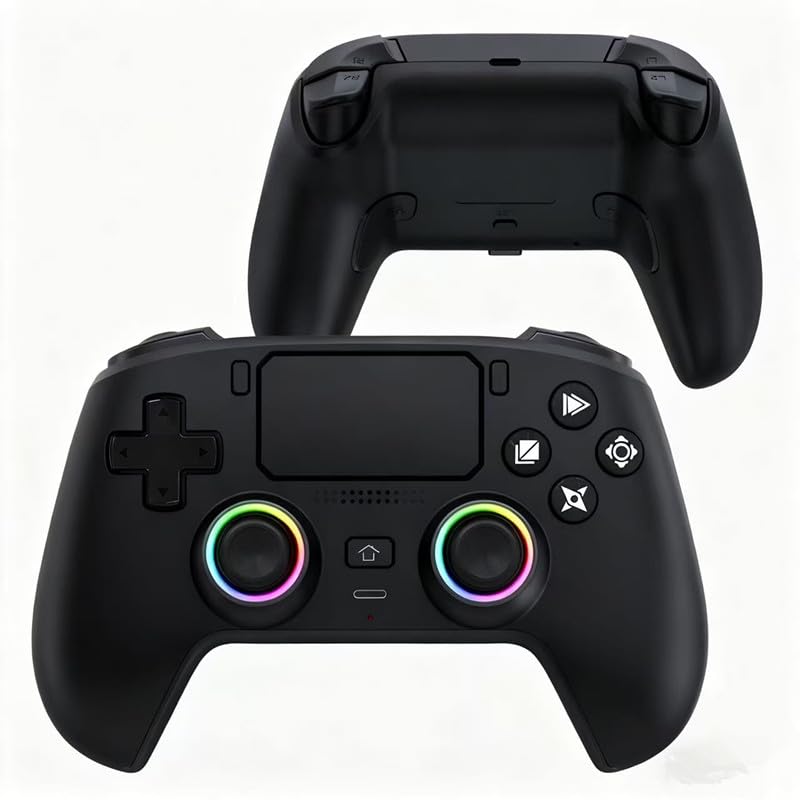
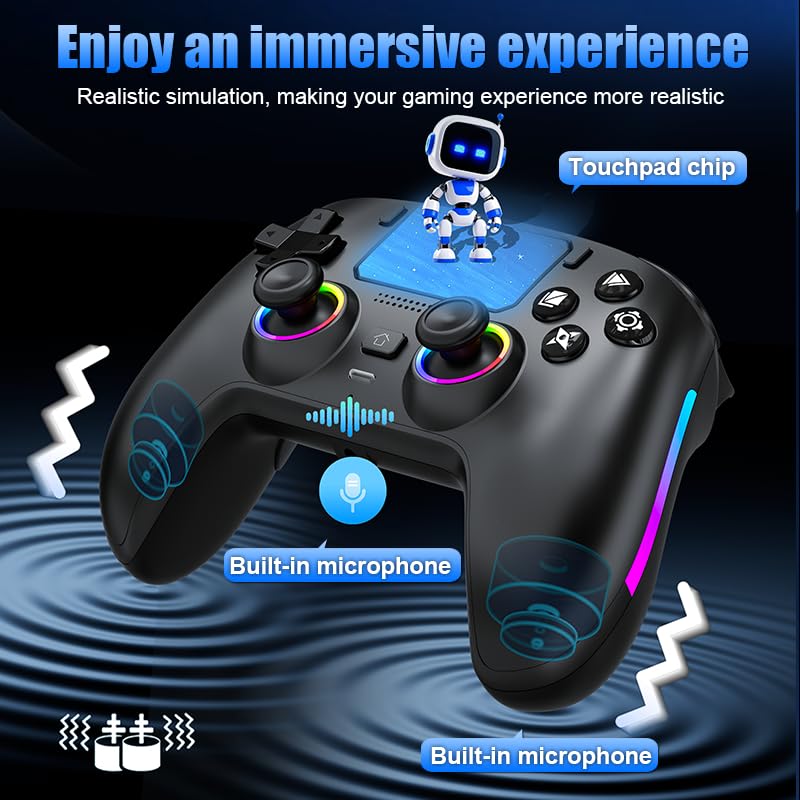
• ?Aesthetically pleasing lighting design?The joystick is surrounded by and flanked on both sides with glowing RGB lights that can be adjusted to change colors or exhibit a breathing or flashing effect.
• ?Programmable Features?On the rear side of the controller, there are two programmable buttons, PR and PL, which can be customized to map to other buttons located on the front of the controller.
• ?Magnetic Interchangeable Panel and Ergonomic Design?The front panel of the handle features a magnetic interchangeable design, enabling users to swap panels according to their preferences in the future. The handle's shape is ergonomically crafted, ensuring comfort during use.
Color: Black
Connect 1. Connect to PS-5 When your controller hasn’t been paired with your current PS-5 console or has been connected to another console, Use a USB cable to connect the controller to your PS-5 console. During the connection, the system will automatically pair the controller. Once paired, remove the USB cable and press the HOME button. The controller will now connect wirelessly via Bluetooth. The LED light will stay on with a steady color, indicating it’s successfully connected to your console. 2. Connect to Windows PC Turn off the controller. Press and hold the SHARE button and the HOME button together. Hold both for 3 seconds. The LED light will flash white. On your PC, open Bluetooth settings and start searching for devices. Find and click on "DualSense Wireless Controller" in the device list to pair. When paired successfully, the LED light will stay on. 3. Connect to Steam Deck Turn off your controller. Press and hold the SHARE button and the HOME button together. Hold both for 3 seconds. The LED light will flash white. Open Bluetooth settings on your Steam Deck. Find and click on "DualSense Wireless Controller" to connect. Once connected, the LED light will stay on. 4. Connect to Mac Open System Preferences > Bluetooth and turn Bluetooth on. With the controller off, hold SHARE + HOME (PS button) together for 3 seconds until its light flashes white. On your Mac, find "DualSense Wireless Controller" in the Bluetooth devices list, click Pair, and wait a few seconds-it'll connect automatically.
• ?Wide Applicability? In addition to being compatible with PS5, it also compatible with PC/Steam Deck/MAC/Android phones/iOS phones, meeting your varied needs.
• ?Hall Effect Technology?This game controller is equipped with two Hall-effect joysticks and two Hall-effect trigger buttons. And it has a calibration function,The Hall-effect joysticks prevent drift and offer enhanced feedback. The Hall-effect Linear triggers, featuring adjustable resistance levels, enable you to sense every action. With a response time under 0.1ms and 256 levels of pressure sensitivity, you can experience instant trigger recognition in FPS games.
• ?Aesthetically pleasing lighting design?The joystick is surrounded by and flanked on both sides with glowing RGB lights that can be adjusted to change colors or exhibit a breathing or flashing effect.
• ?Programmable Features?On the rear side of the controller, there are two programmable buttons, PR and PL, which can be customized to map to other buttons located on the front of the controller.
• ?Magnetic Interchangeable Panel and Ergonomic Design?The front panel of the handle features a magnetic interchangeable design, enabling users to swap panels according to their preferences in the future. The handle's shape is ergonomically crafted, ensuring comfort during use.
Color: Black
Additional Information
Delivery Information
Swift, Secure, and Reliable Shipping
At craftedyogi.com, we understand how important fast and dependable delivery is when it comes to your electronics. Whether it's a gadget, accessory, or device, we are committed to providing a seamless and efficient shipping experience to ensure your electronics arrive safely and on time.
Our Shipping Process
Order Processing
As soon as you place your order, our dedicated team begins processing it promptly to ensure quick dispatch. We aim to ship all electronics within 2 business days of order confirmation, excluding weekends and holidays.
Secure Packaging
Your electronics are valuable, and we treat them with the highest level of care. Each item is carefully packed using high-quality, protective packaging materials to prevent damage during transit. We ensure your products arrive in excellent condition, ready to use.
Shipping Partners
We partner with reputable and trusted shipping carriers to guarantee safe and timely delivery. Once your order ships, you’ll receive a tracking number so you can monitor your package in real time and stay updated on its delivery status.
Transit Time
USA Shipping: 4–7 business days after dispatch.
Shipping Costs
We Offer free shipping for Domestic orders inside USA.
Delivery Support
Our customer support team is here to assist you every step of the way. If you have any questions about your order, shipping timelines, or tracking details, please feel free to contact us:
📧 Email: support@craftedyogi.com
We’re dedicated to ensuring your electronics reach you quickly and securely. Your satisfaction is our top priority.
Thank you for choosing craftedyogi.com for your electronics needs. We look forward to delivering innovation and convenience right to your doorstep. Unbox with confidence and enjoy your new technology!
Reviews
My Wishlist
Wishlist is empty.
Compare
Shopping cart


