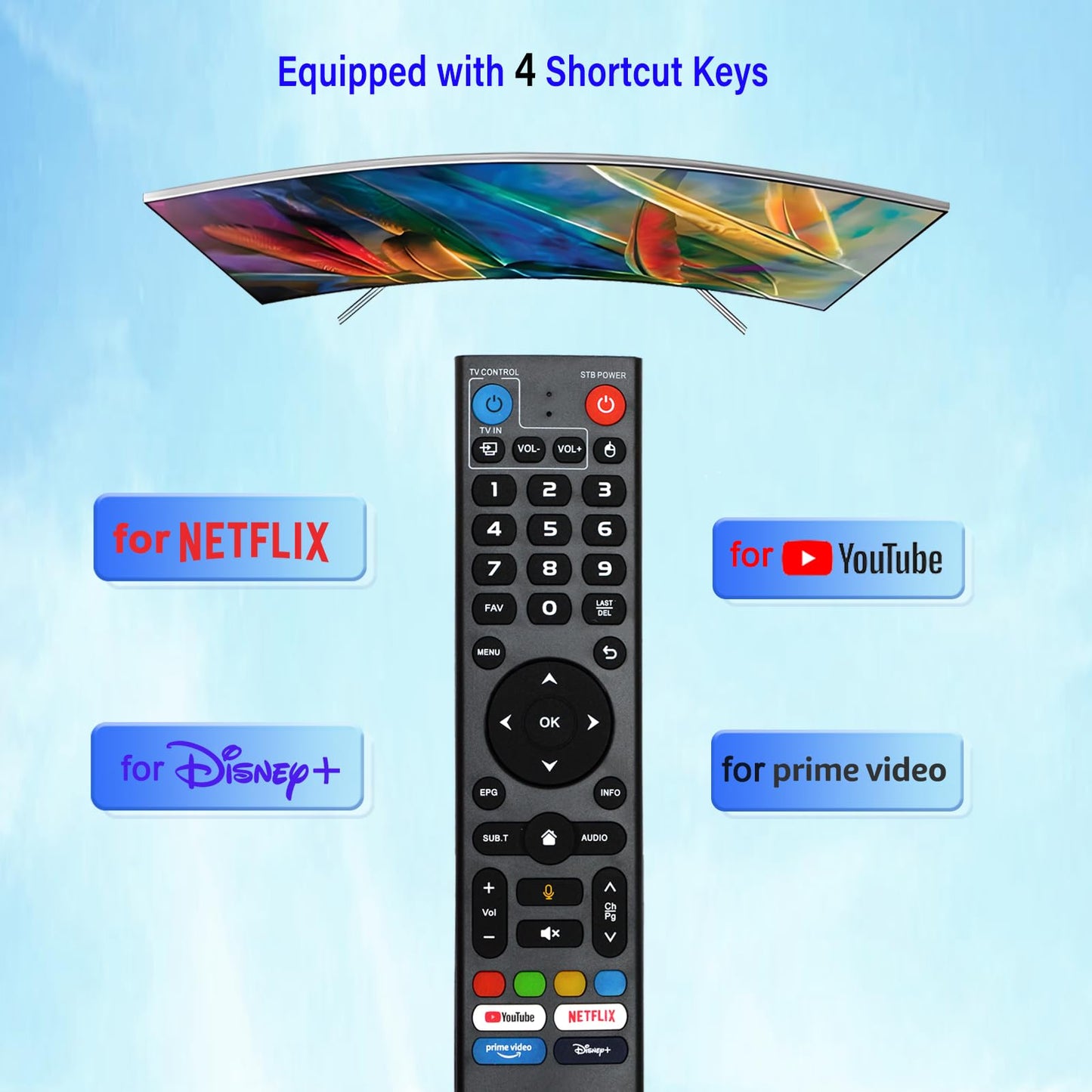
Description
Brand: Yrtnlo
V3 Pro Voice Remote Control Replacement for VSeeBox V5/ V3/ V2/ V1 Pro?V3 Plus?V1 Max/ Elite Models
• ??How to use the remote control ?1.Press and hold [POWER] key for 5 seconds. the LED goss from blinking to solid and STB RCU enters Learning Mode. 2.Press the key to be programmed on this RCU. LED begins blinking slowly. The key is ready to accept programming. 3.Aim the TV RCU towards the front of this RCU(distance less than 5cm) Press the button on the TV RCU. If the STB RCU is programmed correctly, the LED will flash 3 times. 4.Repeat steps 2-3 for other keys and Exit learning mode by pressing any other button on this RCU. LED turns off
• (voice command function) This is V3 Pro. It is applicable to the following models: vSeeBox V5 Pro/ V3 Plus/V3 Pro/ V2 Pro/V1 Pro/V1 Max/Elite/Max. V1 Max, V1 Pro, V2 Pro. Please ensure that the model of your box is on the above list
• The-enabled dual-function learning remote control with light is suitable for vSeeBox V3 - V5 Pro.There are two working modes: V3 working mode and V2 working mode. Press and hold the "5" number key for more than 10 seconds. The indicator light will flash, indicating that the mode switch has been successful. The V3 Pro working mode is applicable to V3 Pro
• The V2 Pro working mode is applicable to V1 Pro/V2 Pro/Max/Elite. (Special Note: The Vseebox V3 remote control defaults to V3 working mode.)
• How should we use the V3 remote control on V1 Pro and V2 Pro/Max/Elite? Press and hold the OK key and the vol- key simultaneously (for about 5 seconds) until the indicator light on the remote control keeps flashing, indicating that the Bluetooth function of the V3 remote control is enabled. Under "System Settings - Bluetooth - Pair New Device", pair the remote control, find the vseebox remote control, and connect vseebox. If not found, it might be that Bluetooth is not turned on. Please press and hold the OK key and vol- key on the remote control simultaneously to turn on the Bluetooth, and then operate again.
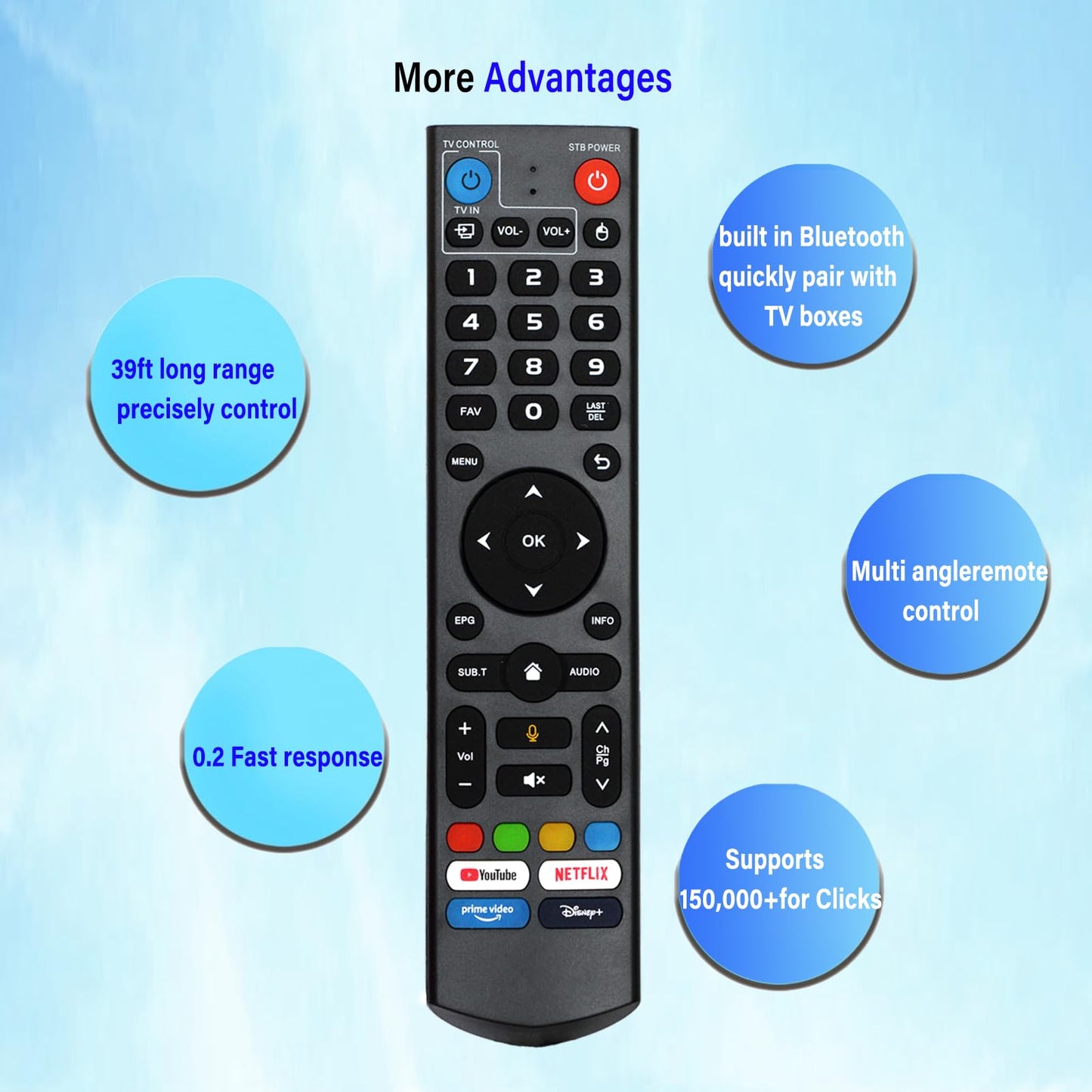
• ? Long working range and Fast response ? It adopts infrared technology, with the strongest signal. The remote control has a transmission distance of up to 10 meters /32 feet. The keys are sensitive and the response is relatively fast, not exceeding 0.2 seconds. These buttons have been tested and can support over 100,000 clicks. They have a good feel and are durable.
Model: for vSeeBox V3 - V5 Pro.
Color: Black
V3 Pro Voice Remote Control Replacement for VSeeBox V5/ V3/ V2/ V1 Pro?V3 Plus?V1 Max/ Elite Models
• ??How to use the remote control ?1.Press and hold [POWER] key for 5 seconds. the LED goss from blinking to solid and STB RCU enters Learning Mode. 2.Press the key to be programmed on this RCU. LED begins blinking slowly. The key is ready to accept programming. 3.Aim the TV RCU towards the front of this RCU(distance less than 5cm) Press the button on the TV RCU. If the STB RCU is programmed correctly, the LED will flash 3 times. 4.Repeat steps 2-3 for other keys and Exit learning mode by pressing any other button on this RCU. LED turns off
• (voice command function) This is V3 Pro. It is applicable to the following models: vSeeBox V5 Pro/ V3 Plus/V3 Pro/ V2 Pro/V1 Pro/V1 Max/Elite/Max. V1 Max, V1 Pro, V2 Pro. Please ensure that the model of your box is on the above list
• The-enabled dual-function learning remote control with light is suitable for vSeeBox V3 - V5 Pro.There are two working modes: V3 working mode and V2 working mode. Press and hold the "5" number key for more than 10 seconds. The indicator light will flash, indicating that the mode switch has been successful. The V3 Pro working mode is applicable to V3 Pro
• The V2 Pro working mode is applicable to V1 Pro/V2 Pro/Max/Elite. (Special Note: The Vseebox V3 remote control defaults to V3 working mode.)
• How should we use the V3 remote control on V1 Pro and V2 Pro/Max/Elite? Press and hold the OK key and the vol- key simultaneously (for about 5 seconds) until the indicator light on the remote control keeps flashing, indicating that the Bluetooth function of the V3 remote control is enabled. Under "System Settings - Bluetooth - Pair New Device", pair the remote control, find the vseebox remote control, and connect vseebox. If not found, it might be that Bluetooth is not turned on. Please press and hold the OK key and vol- key on the remote control simultaneously to turn on the Bluetooth, and then operate again.
• ? Long working range and Fast response ? It adopts infrared technology, with the strongest signal. The remote control has a transmission distance of up to 10 meters /32 feet. The keys are sensitive and the response is relatively fast, not exceeding 0.2 seconds. These buttons have been tested and can support over 100,000 clicks. They have a good feel and are durable.
Model: for vSeeBox V3 - V5 Pro.
Color: Black
Additional Information
Delivery Information
Swift, Secure, and Reliable Shipping
At craftedyogi.com, we understand how important fast and dependable delivery is when it comes to your electronics. Whether it's a gadget, accessory, or device, we are committed to providing a seamless and efficient shipping experience to ensure your electronics arrive safely and on time.
Our Shipping Process
Order Processing
As soon as you place your order, our dedicated team begins processing it promptly to ensure quick dispatch. We aim to ship all electronics within 2 business days of order confirmation, excluding weekends and holidays.
Secure Packaging
Your electronics are valuable, and we treat them with the highest level of care. Each item is carefully packed using high-quality, protective packaging materials to prevent damage during transit. We ensure your products arrive in excellent condition, ready to use.
Shipping Partners
We partner with reputable and trusted shipping carriers to guarantee safe and timely delivery. Once your order ships, you’ll receive a tracking number so you can monitor your package in real time and stay updated on its delivery status.
Transit Time
USA Shipping: 4–7 business days after dispatch.
Shipping Costs
We Offer free shipping for Domestic orders inside USA.
Delivery Support
Our customer support team is here to assist you every step of the way. If you have any questions about your order, shipping timelines, or tracking details, please feel free to contact us:
📧 Email: support@craftedyogi.com
We’re dedicated to ensuring your electronics reach you quickly and securely. Your satisfaction is our top priority.
Thank you for choosing craftedyogi.com for your electronics needs. We look forward to delivering innovation and convenience right to your doorstep. Unbox with confidence and enjoy your new technology!
Reviews
My Wishlist
Wishlist is empty.
Compare
Shopping cart


