Description
Brand: Guiheng
<br><b>Troubleshooting:</b> <br><b>Q1:If keyboard does not work properly?</b> <br>1.please make sure that your computer bluetooth function is enabled,the keyboard should be within 10 meters of the computer; <br>2..the connection password entered is correct, keyboard built-in battery power is too low,please charge the keyboard ; <br>3..if the keyboard is not connected or paired with the tablet computer after successful pairing,the text input delay or even typing letters <br>appear in the process,please according to the following steps:delete all bluetooth devices,tablet computer Bluetooth option in the closed <br>on a tablet computer bluetooth option,-restart the tablet computer keyboard and tbalet computer again. <br> <br><b>Q2:Keyboard does not connect to tablet,PC,ipad?</b> <br>The charging indicator will blink when is low power,which you need to charge,please make sure charged fully; <br>The bluetooth keyboard pairing as below steps: <br>1.Turn on the keyboard ,the bluetooth status indicator blinking 5s then off; <br>2.Press”Connect”key,Blueooth indicator blinking; <br>3.Open the bluetooth and search,tablet PC search the keyboard(bluetooth name:bluetooth keyboard)automatically
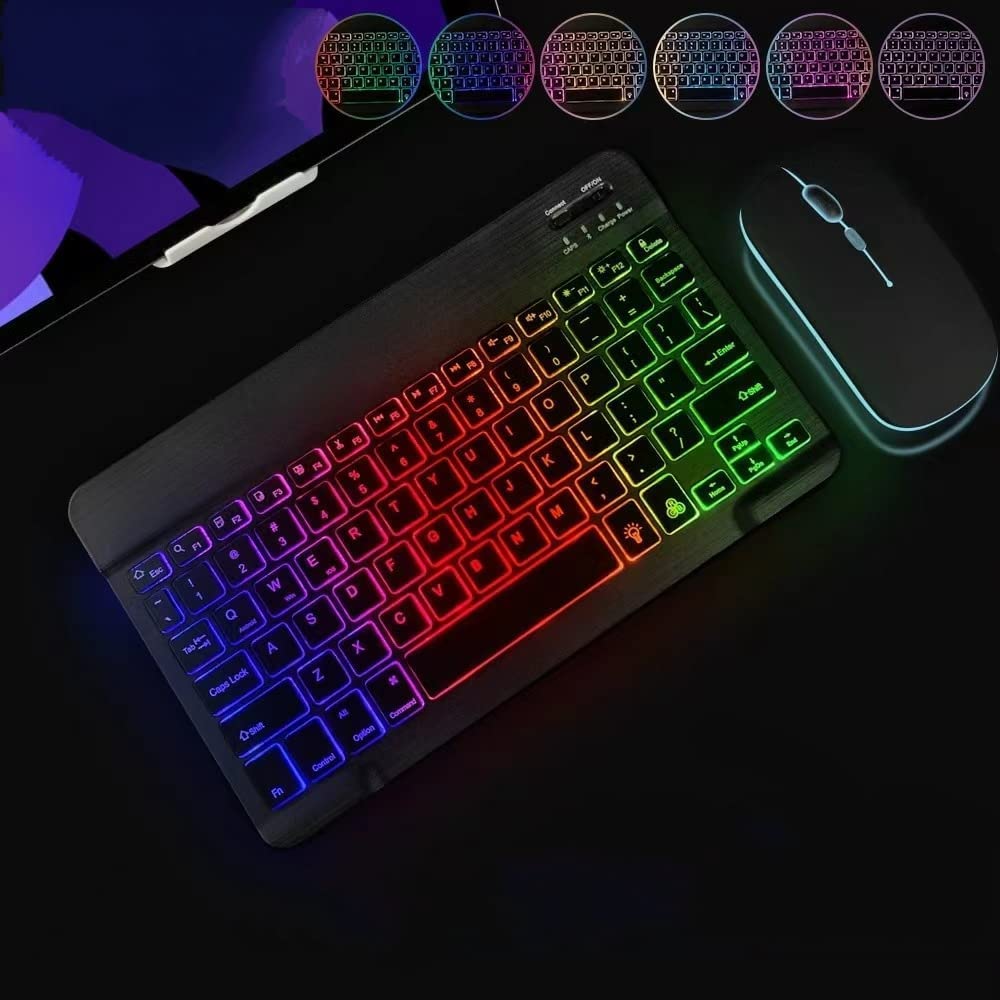
• 7-Color LED Backlit - This wiressless 7-color led backlit bluetooth keyboard and mouse adopts bluetooth wireless connection and scissor key structure,which bring you a perfect input experience,it has built in rechargeable polymeric lithium better and charging indicator,the keyboard will enter into
• The keyboard and mouse compatible with iOS, including Computer, Desktop, PC, Laptop, Android Tablets Windows, Apple iPhone, iPad, Android Samsung Windows Surface tablet cell phone,etc.
• Pairing instruction:before use this keyboard,it must be connected with your tablet or other device,when it pairs successfully,you do not need to reconnect it in future,please connnect the keybaord with your tablet according to the right graphic instruction as below:1.Turn on the keyboard
• 2.Press the "Connect" button to 3 seconds,the blue light blinks
• 3.open the bluetooth from settings in your IPAD and find the bluetooth keyboard,then click and connect(password free connection).
Color: black
<br><b>Troubleshooting:</b> <br><b>Q1:If keyboard does not work properly?</b> <br>1.please make sure that your computer bluetooth function is enabled,the keyboard should be within 10 meters of the computer; <br>2..the connection password entered is correct, keyboard built-in battery power is too low,please charge the keyboard ; <br>3..if the keyboard is not connected or paired with the tablet computer after successful pairing,the text input delay or even typing letters <br>appear in the process,please according to the following steps:delete all bluetooth devices,tablet computer Bluetooth option in the closed <br>on a tablet computer bluetooth option,-restart the tablet computer keyboard and tbalet computer again. <br> <br><b>Q2:Keyboard does not connect to tablet,PC,ipad?</b> <br>The charging indicator will blink when is low power,which you need to charge,please make sure charged fully; <br>The bluetooth keyboard pairing as below steps: <br>1.Turn on the keyboard ,the bluetooth status indicator blinking 5s then off; <br>2.Press”Connect”key,Blueooth indicator blinking; <br>3.Open the bluetooth and search,tablet PC search the keyboard(bluetooth name:bluetooth keyboard)automatically
• 7-Color LED Backlit - This wiressless 7-color led backlit bluetooth keyboard and mouse adopts bluetooth wireless connection and scissor key structure,which bring you a perfect input experience,it has built in rechargeable polymeric lithium better and charging indicator,the keyboard will enter into
• The keyboard and mouse compatible with iOS, including Computer, Desktop, PC, Laptop, Android Tablets Windows, Apple iPhone, iPad, Android Samsung Windows Surface tablet cell phone,etc.
• Pairing instruction:before use this keyboard,it must be connected with your tablet or other device,when it pairs successfully,you do not need to reconnect it in future,please connnect the keybaord with your tablet according to the right graphic instruction as below:1.Turn on the keyboard
• 2.Press the "Connect" button to 3 seconds,the blue light blinks
• 3.open the bluetooth from settings in your IPAD and find the bluetooth keyboard,then click and connect(password free connection).
Color: black
Additional Information
Delivery Information
Swift, Secure, and Reliable Shipping
At craftedyogi.com, we understand how important fast and dependable delivery is when it comes to your electronics. Whether it's a gadget, accessory, or device, we are committed to providing a seamless and efficient shipping experience to ensure your electronics arrive safely and on time.
Our Shipping Process
Order Processing
As soon as you place your order, our dedicated team begins processing it promptly to ensure quick dispatch. We aim to ship all electronics within 2 business days of order confirmation, excluding weekends and holidays.
Secure Packaging
Your electronics are valuable, and we treat them with the highest level of care. Each item is carefully packed using high-quality, protective packaging materials to prevent damage during transit. We ensure your products arrive in excellent condition, ready to use.
Shipping Partners
We partner with reputable and trusted shipping carriers to guarantee safe and timely delivery. Once your order ships, you’ll receive a tracking number so you can monitor your package in real time and stay updated on its delivery status.
Transit Time
USA Shipping: 4–7 business days after dispatch.
Shipping Costs
We Offer free shipping for Domestic orders inside USA.
Delivery Support
Our customer support team is here to assist you every step of the way. If you have any questions about your order, shipping timelines, or tracking details, please feel free to contact us:
📧 Email: support@craftedyogi.com
We’re dedicated to ensuring your electronics reach you quickly and securely. Your satisfaction is our top priority.
Thank you for choosing craftedyogi.com for your electronics needs. We look forward to delivering innovation and convenience right to your doorstep. Unbox with confidence and enjoy your new technology!
Reviews
My Wishlist
Wishlist is empty.
Compare
Shopping cart


