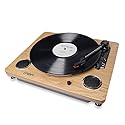
Description
Brand: ION
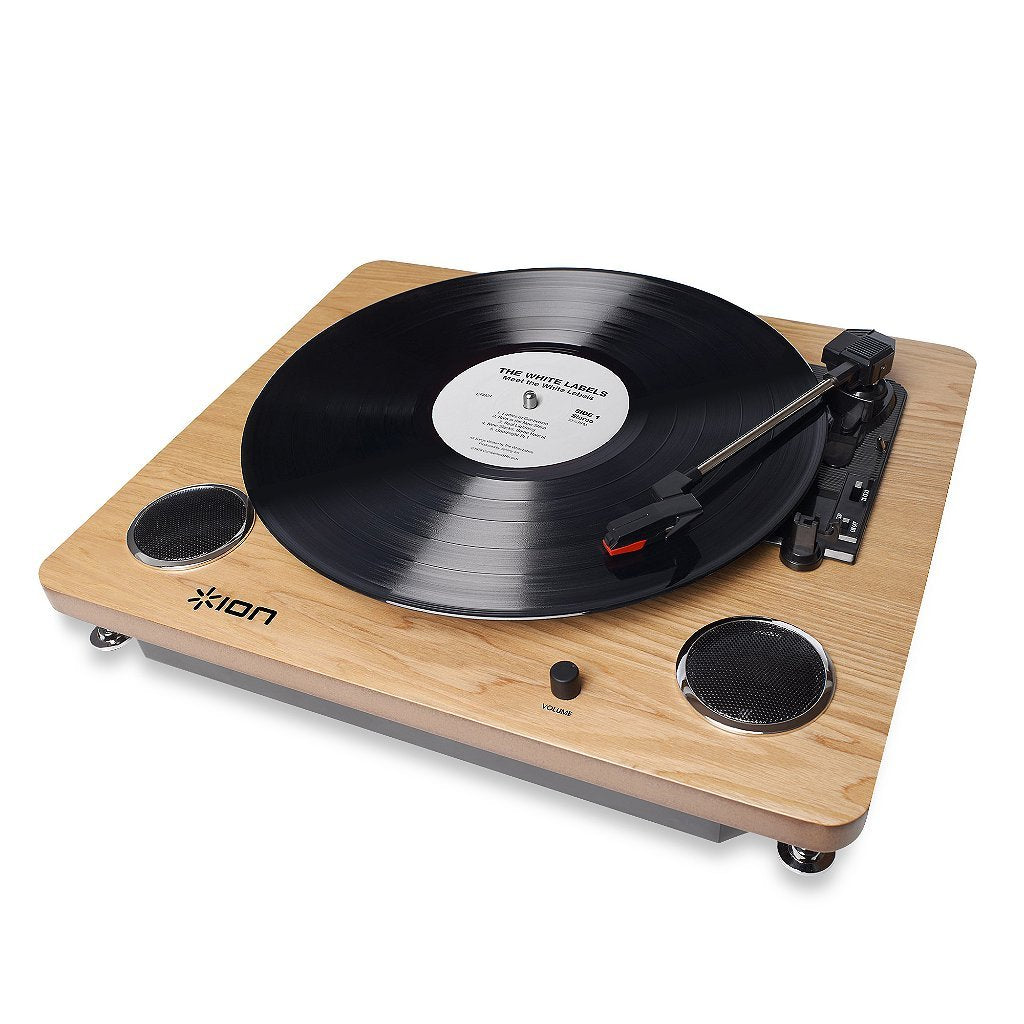
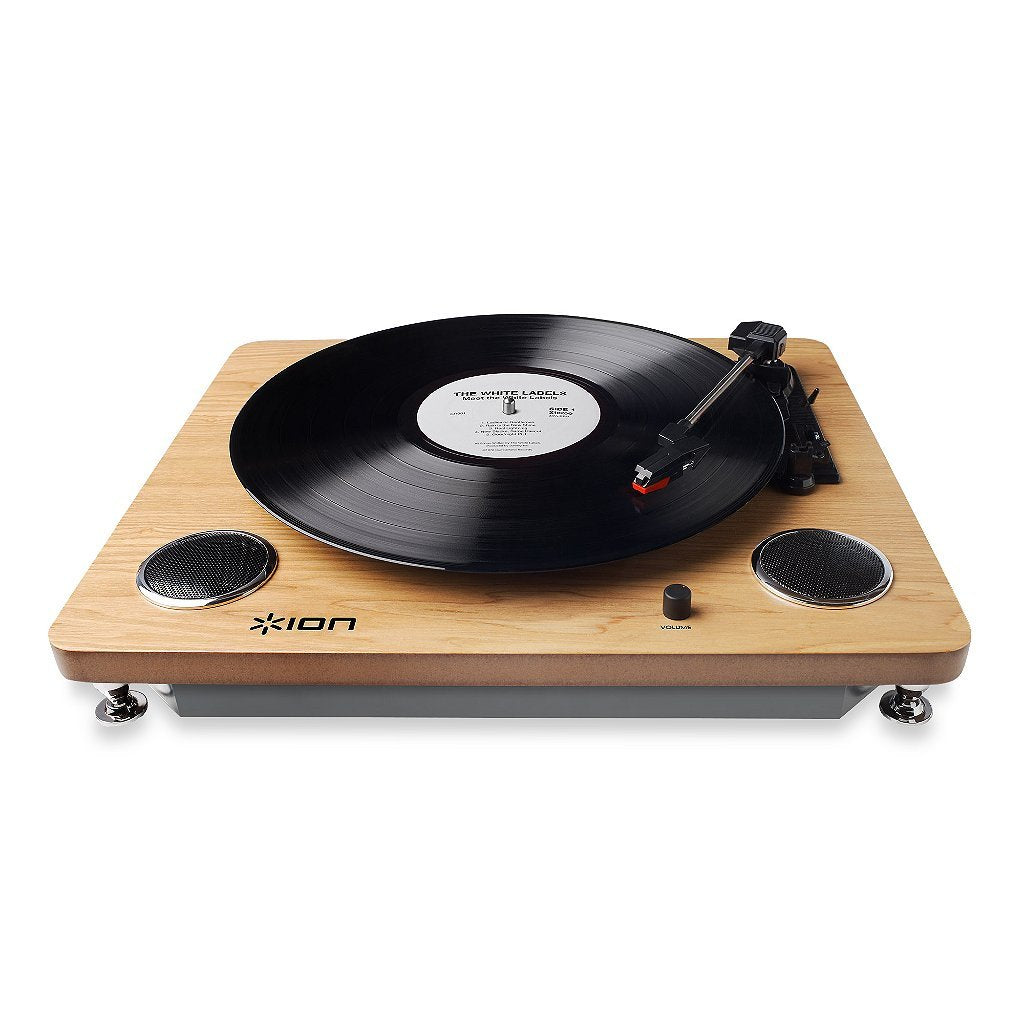
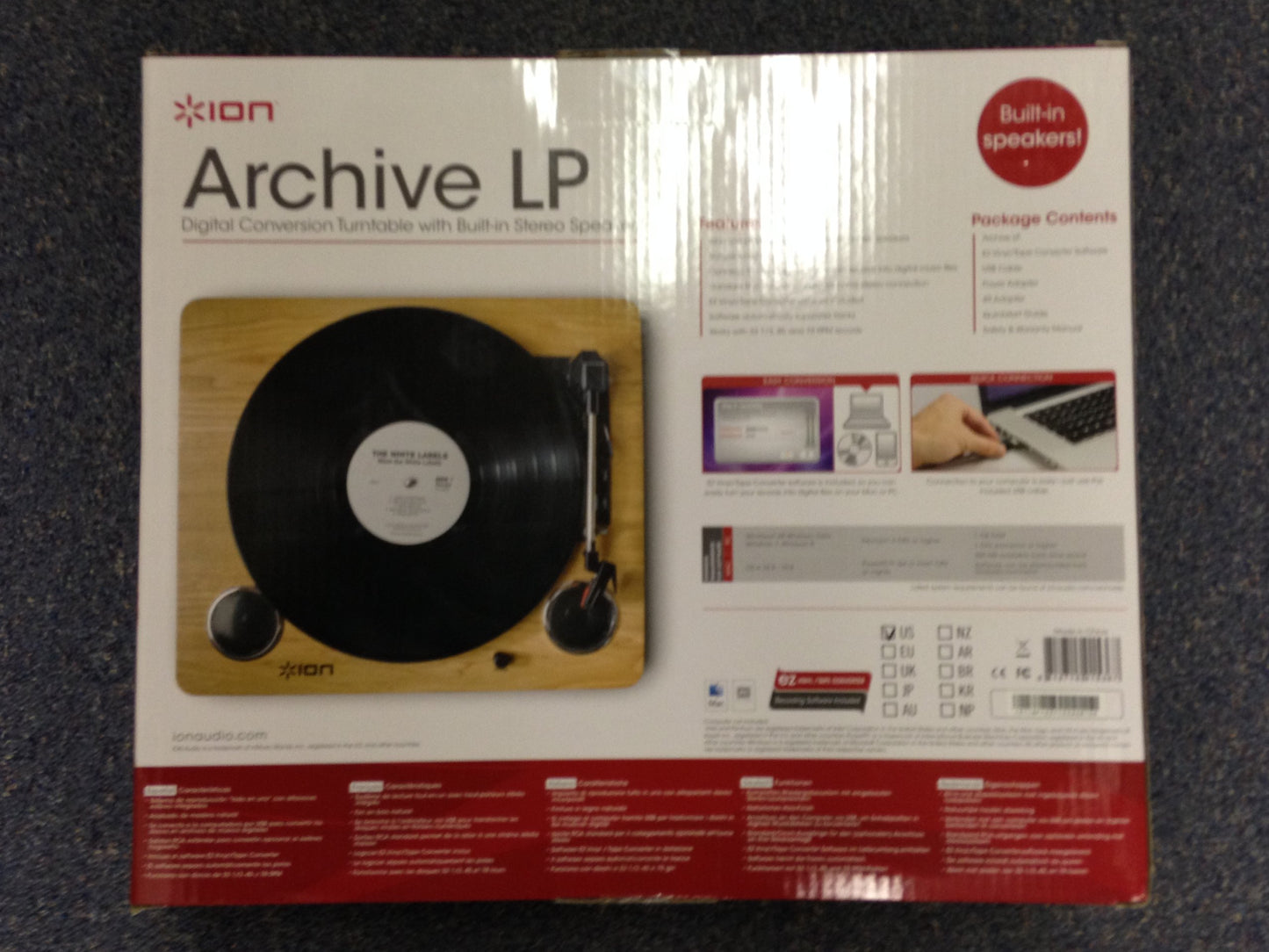
Rediscover your recordsION Audio’s Archive LP is a simple all-in-1 turntable that makes it easy to enjoy your records and convert them to digital music files on your computer.Archive LP comes with stereo speakers built in, so you can kick back and listen to your records with no complicated setup or hassle. Its natural wood finish makes it a great addition to any room, and you can connect Archive LP to your home stereo system using its standard RCA outputs when you need to go louder.The included USB cable is all you need to connect Archive LP to your computer. ION’s exclusive EZ Vinyl/Tape Converter software guides you through the music transfer steps, and it automatically separates the tracks for you! Now you’re ready to put them onto your digital music player and go for a jog, or burn it to CD to have for your car.Take your favorite music everywhere, with no worries it will degrade in quality.Frequently Asked QuestionsHow many watts are the built in speakers?3 watts (1.5W per channel).I need to order a new stylus. Where can I get a new stylus?The Archive LP and Forever LP use a diamond-tipped stylus. The part number is iCT09RS and it can be purchased directly from the ION Audio Parts Department by e-mailing parts@inmusic.com.What kind of cartridge can be used with this turntable?The Archive LP and Forever LP use a ceramic style cartridge. To order a new cartridge, contact the ION Audio Parts Department at 1-401-658-3743 ext. 1407 and they will be happy to assistCan I use a 78 RPM record with this turntable?In order to play a 78 RPM record, an alternative 78 RPM stylus would need to be used. ION Audio makes a 78 RPM stylus which can be usedCan I use the Archive LP with my computer?Yes. One cable is all you need to connect Archive LP to your computer, and it’s included with purchase. Just connect Archive LP to your Mac or PC using the included USB cable. The Archive LP also comes with the EZ Vinyl Tape Converter to easily record and save your records directly to your computerMy turntable isn't spinning when I move the tonearm over the record and the AUTOSTOP is set to 'ON'. What do I do?Move the tonearm back and forth from the resting point to the center of the turntable and back, 5-10 times. Try againch It should begin to spin with the tonearm over the record after moving it 5-10 times. If you continue to experience difficulties, contact ION Audio Technical Support.I am playing my 33/45 record at the right speed, but it sounds kind of slow/fast still. Can I adjust the speed?Yes, on the bottom of the turntable there are screw-hole speed adjustments to fine tune the speed. To adjust it, use a small eye-glass screwdriver to very slightly turn the appropriate screw to increase or decrease the speed. For the 33/45 RPM adjustment, it is recommended to use a Philips-head screwdriver. For the 78 RPM adjustment, it is recommended to use a flat-head. If you think you may need technical assistance or that your symptoms may be caused by something else, contact ION Audio Technical Support.Is this turntable powered by the USB cable?The Archive LP ship with a power adapter in the box and is not powered by the USB cable.Do the Volume knobs on the Archive LP change the gain level going into the computer?The volume knob is only for adjusting the level to the built-in speakers and does not affect the gain going to the RCA outputs or the USB output.My record is skipping what should I do?If the record is skipping try cleaning the record directly using standard lp cleaning techniques. For some materials that can help with the cleaning of your vinyl, you can find the VINYL ALIVE Record Cleaning Kit on the ION Audio website. If the record continues to skip, consider replacing the stylus which can be purchased directly from ION Audio.Technical Support & Warranty ServiceWhether you are a customer or dealer, if you already own a ION product, or if you just have pre-sales questions, the experienced ION technical support team is available to help!Visit the link below to connect with any of the following support options: Online community support, phone support, email support. ionaudio.com/supportTech SpecsPower: 12V DC, 1A, center pin-positive, tip-negative Dimensions: 13.75” x 16” x 3.46” Weight: 5.9 lbs; 2.68 kilogram Cartridge Type: Ceramic cartridge Stylus: ICT09RS (diamond-tipped) included Track Force: 5 grams nominal (4-6 grams) Output Voltage: ( at 1 kHz=3.54 cm/sec) 200-300 mV Channel Balance: ( at 1 kHz) <=3dB Channel Separation: ( at 1 kHz) >=15dB Frequency Response: 80-10,000Hz (±7dB)IncludesArchive LP EZ Vinyl/Tape Converter Software USB Cable Power Adapter 45 Adapter Quickstart Guide Safety & Warranty Manual.
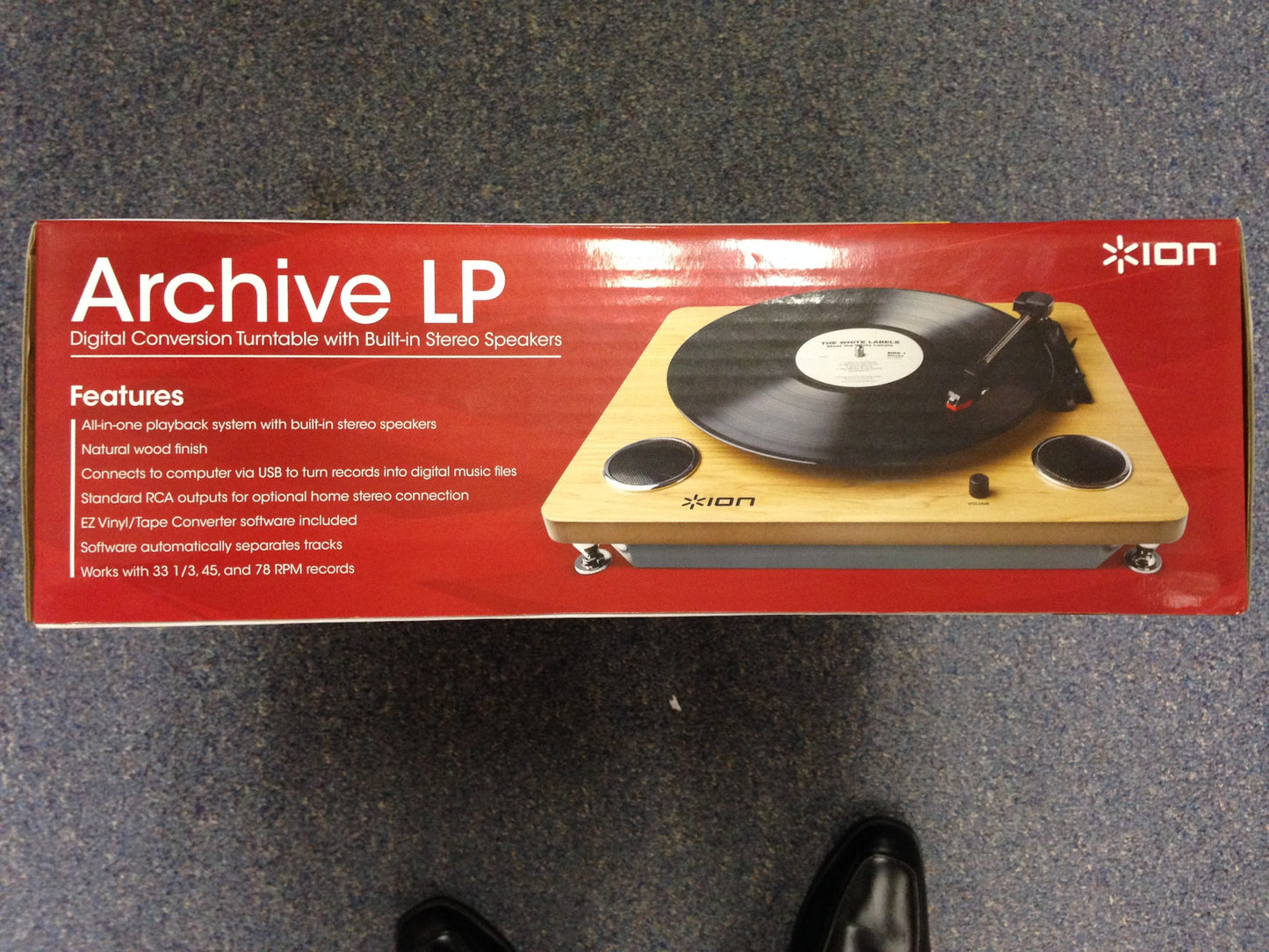
• All-in-1 playback system with built-in stereo speakers
• Connects to computer via USB to turn records into digital music files
• Standard RCA outputs for optional home stereo connection
• EZ Vinyl/Tape Converter software included for Mac and PC
• Works with 33 1/3, 45, and 78 RPM records
Model: Archive LP
Color: Black
Rediscover your recordsION Audio’s Archive LP is a simple all-in-1 turntable that makes it easy to enjoy your records and convert them to digital music files on your computer.Archive LP comes with stereo speakers built in, so you can kick back and listen to your records with no complicated setup or hassle. Its natural wood finish makes it a great addition to any room, and you can connect Archive LP to your home stereo system using its standard RCA outputs when you need to go louder.The included USB cable is all you need to connect Archive LP to your computer. ION’s exclusive EZ Vinyl/Tape Converter software guides you through the music transfer steps, and it automatically separates the tracks for you! Now you’re ready to put them onto your digital music player and go for a jog, or burn it to CD to have for your car.Take your favorite music everywhere, with no worries it will degrade in quality.Frequently Asked QuestionsHow many watts are the built in speakers?3 watts (1.5W per channel).I need to order a new stylus. Where can I get a new stylus?The Archive LP and Forever LP use a diamond-tipped stylus. The part number is iCT09RS and it can be purchased directly from the ION Audio Parts Department by e-mailing parts@inmusic.com.What kind of cartridge can be used with this turntable?The Archive LP and Forever LP use a ceramic style cartridge. To order a new cartridge, contact the ION Audio Parts Department at 1-401-658-3743 ext. 1407 and they will be happy to assistCan I use a 78 RPM record with this turntable?In order to play a 78 RPM record, an alternative 78 RPM stylus would need to be used. ION Audio makes a 78 RPM stylus which can be usedCan I use the Archive LP with my computer?Yes. One cable is all you need to connect Archive LP to your computer, and it’s included with purchase. Just connect Archive LP to your Mac or PC using the included USB cable. The Archive LP also comes with the EZ Vinyl Tape Converter to easily record and save your records directly to your computerMy turntable isn't spinning when I move the tonearm over the record and the AUTOSTOP is set to 'ON'. What do I do?Move the tonearm back and forth from the resting point to the center of the turntable and back, 5-10 times. Try againch It should begin to spin with the tonearm over the record after moving it 5-10 times. If you continue to experience difficulties, contact ION Audio Technical Support.I am playing my 33/45 record at the right speed, but it sounds kind of slow/fast still. Can I adjust the speed?Yes, on the bottom of the turntable there are screw-hole speed adjustments to fine tune the speed. To adjust it, use a small eye-glass screwdriver to very slightly turn the appropriate screw to increase or decrease the speed. For the 33/45 RPM adjustment, it is recommended to use a Philips-head screwdriver. For the 78 RPM adjustment, it is recommended to use a flat-head. If you think you may need technical assistance or that your symptoms may be caused by something else, contact ION Audio Technical Support.Is this turntable powered by the USB cable?The Archive LP ship with a power adapter in the box and is not powered by the USB cable.Do the Volume knobs on the Archive LP change the gain level going into the computer?The volume knob is only for adjusting the level to the built-in speakers and does not affect the gain going to the RCA outputs or the USB output.My record is skipping what should I do?If the record is skipping try cleaning the record directly using standard lp cleaning techniques. For some materials that can help with the cleaning of your vinyl, you can find the VINYL ALIVE Record Cleaning Kit on the ION Audio website. If the record continues to skip, consider replacing the stylus which can be purchased directly from ION Audio.Technical Support & Warranty ServiceWhether you are a customer or dealer, if you already own a ION product, or if you just have pre-sales questions, the experienced ION technical support team is available to help!Visit the link below to connect with any of the following support options: Online community support, phone support, email support. ionaudio.com/supportTech SpecsPower: 12V DC, 1A, center pin-positive, tip-negative Dimensions: 13.75” x 16” x 3.46” Weight: 5.9 lbs; 2.68 kilogram Cartridge Type: Ceramic cartridge Stylus: ICT09RS (diamond-tipped) included Track Force: 5 grams nominal (4-6 grams) Output Voltage: ( at 1 kHz=3.54 cm/sec) 200-300 mV Channel Balance: ( at 1 kHz) <=3dB Channel Separation: ( at 1 kHz) >=15dB Frequency Response: 80-10,000Hz (±7dB)IncludesArchive LP EZ Vinyl/Tape Converter Software USB Cable Power Adapter 45 Adapter Quickstart Guide Safety & Warranty Manual.
• All-in-1 playback system with built-in stereo speakers
• Connects to computer via USB to turn records into digital music files
• Standard RCA outputs for optional home stereo connection
• EZ Vinyl/Tape Converter software included for Mac and PC
• Works with 33 1/3, 45, and 78 RPM records
Model: Archive LP
Color: Black
Additional Information
Delivery Information
Swift, Secure, and Reliable Shipping
At craftedyogi.com, we understand how important fast and dependable delivery is when it comes to your electronics. Whether it's a gadget, accessory, or device, we are committed to providing a seamless and efficient shipping experience to ensure your electronics arrive safely and on time.
Our Shipping Process
Order Processing
As soon as you place your order, our dedicated team begins processing it promptly to ensure quick dispatch. We aim to ship all electronics within 2 business days of order confirmation, excluding weekends and holidays.
Secure Packaging
Your electronics are valuable, and we treat them with the highest level of care. Each item is carefully packed using high-quality, protective packaging materials to prevent damage during transit. We ensure your products arrive in excellent condition, ready to use.
Shipping Partners
We partner with reputable and trusted shipping carriers to guarantee safe and timely delivery. Once your order ships, you’ll receive a tracking number so you can monitor your package in real time and stay updated on its delivery status.
Transit Time
USA Shipping: 4–7 business days after dispatch.
Shipping Costs
We Offer free shipping for Domestic orders inside USA.
Delivery Support
Our customer support team is here to assist you every step of the way. If you have any questions about your order, shipping timelines, or tracking details, please feel free to contact us:
📧 Email: support@craftedyogi.com
We’re dedicated to ensuring your electronics reach you quickly and securely. Your satisfaction is our top priority.
Thank you for choosing craftedyogi.com for your electronics needs. We look forward to delivering innovation and convenience right to your doorstep. Unbox with confidence and enjoy your new technology!
Reviews
My Wishlist
Wishlist is empty.
Compare
Shopping cart


