Description
Brand: CoYlBod
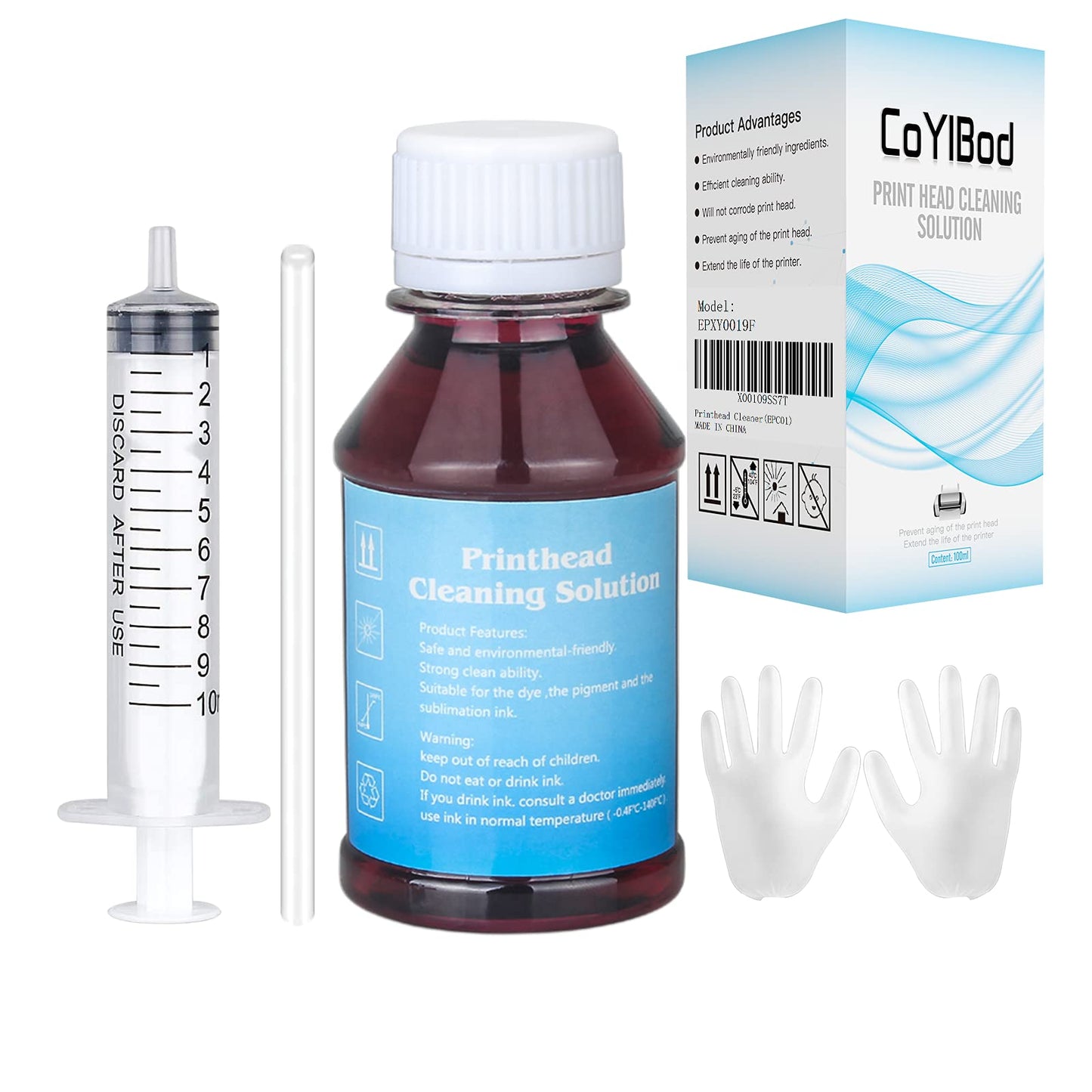
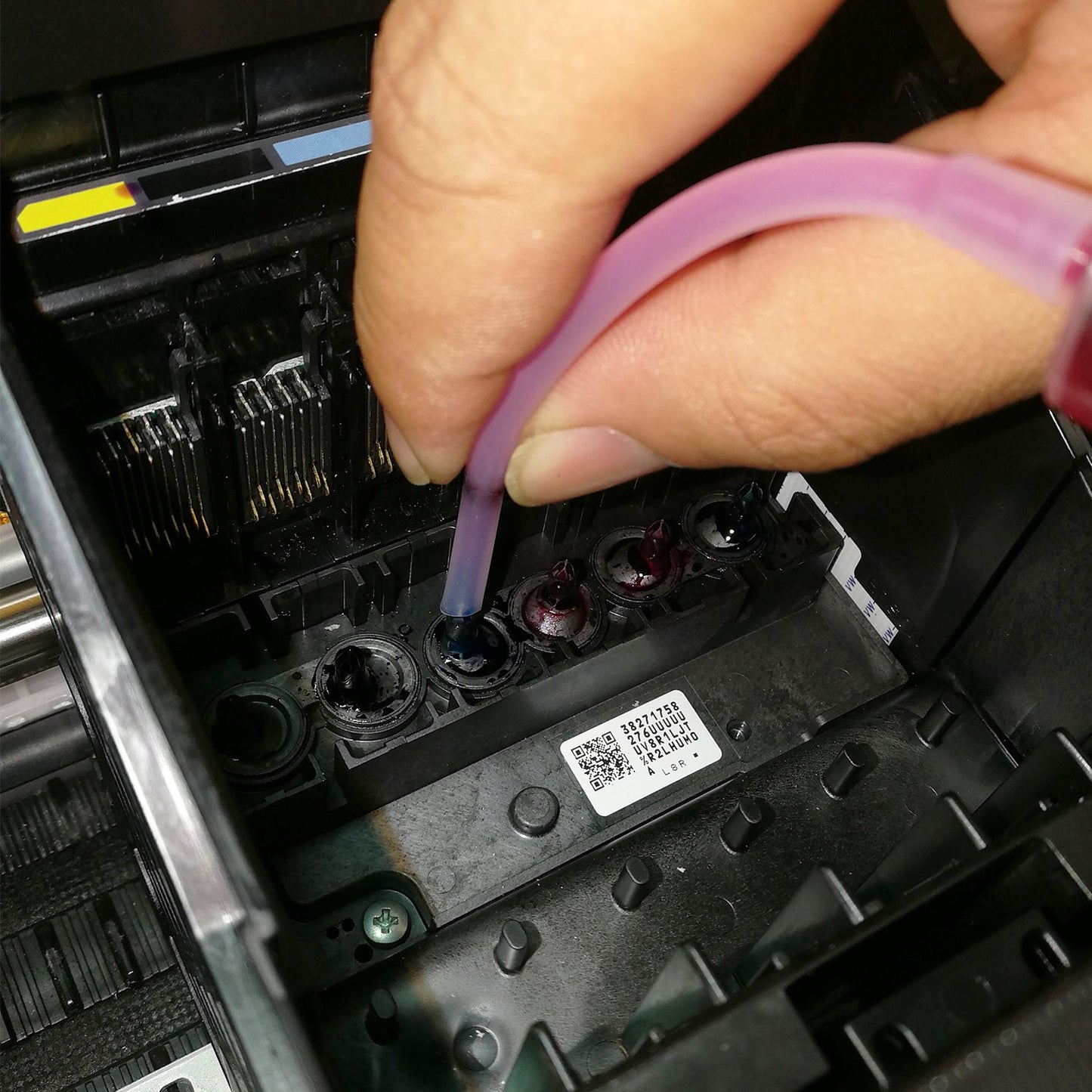
Directions:1. Heat the cleaning fluid.2. Print the "nozzle checking" test page to confirm the color to be cleaned.3. Pick out the ink cartridge.4. Inject the cleaning fluid into the print head that needs cleaning with a syringe, and wait for 10-12 hours,as shown in Figure 5.5. Install the ink cartridges and run the "nozzle cleaning" function twice in printer driver.After cleaning, if the clogging is more serious, maybe it's because the cleaning liquid hasn’t been totally discharged and still stays inside the print head. Please follow the following steps:1. If you have the refill ink for this printer, you can inhale ink 4ML with a syringe and inject it into the ink inlet of the print head, then install the cartridge and run the driver's "Print head cleaning" function 1 times.2. If you do not have the refill ink for this printer, you can use an empty syringe (do not need to inhale anything) to connect with the ink inlet of the print head, repeatedly push and pull the plunger of the syringe to discharge the cleaning liquid. Then install the ink cartridge, and run the driver "print head cleaning" function 1 times.3. If there is no improvement, you will need to wait 2 hours and try again to run the driver's "Print head cleaning" function 1 times. The above methods can be tried several times.P.S.:More detail instructions and tools are included in the package.Package content:3.4 oz Printhead Cleaning Fluid1×syringe(10ML)1×silicone tube1×instruction manualCautions:It may not work for serious clogging or when there is insoluble material inside the nozzle. You need to replace a new print head to solve the problem.We have added a video so that buyers can follow the video instruction. It is a complicated process of cleaning up nozzle clogging, which may take your time and use a lot of ink.
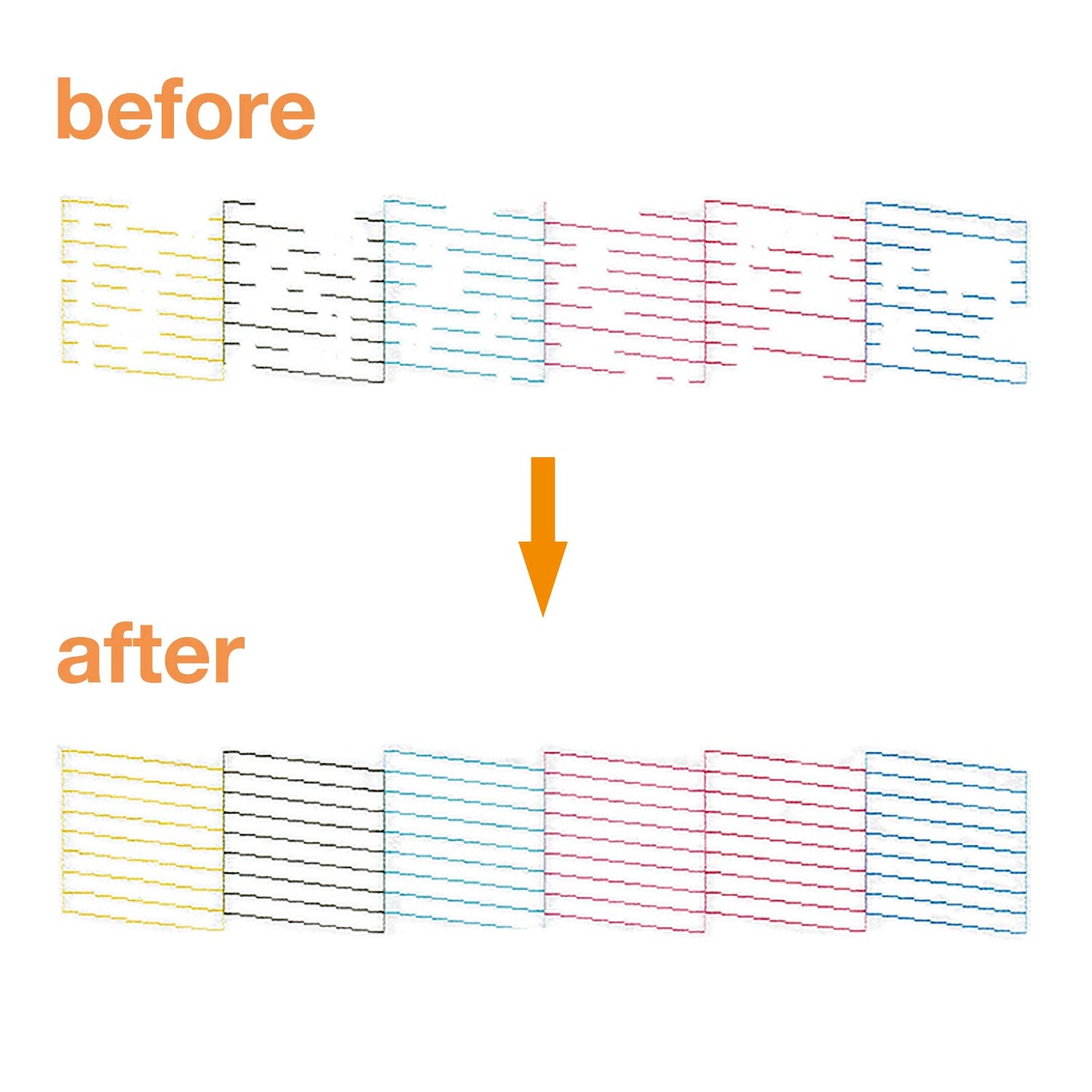
• ?Efficient Use?To solve illegible marking caused by print head clogging (Vertical stripes, horizontal stripes, text printing or incomplete patterns). Make the print more clear, print color uniform and delicate.
• ?Excellent Cleaning Ability?It contains high-performance ingredients such as active enzymes, strong cleaning, environment-friendly material composition, which can effectively dissolve and clean OEM/factory inks, dye inks, pigment inks, sublimation inks, etc. It will not corrode the print head, so as to better achieve effective cleaning and protect the print head.
• ?Easy to Operate?The printhead cleaning tool includes syringe, silicone tube and instruction manual to make cleaning more convenient and easier. No need to disassemble the print head, easy to operate. Please refer to the manual or the operate video to get detailed operating information.
• ?Applied to Multiple Models?Stylus T10 T11 T13 T20 T21 T22E NX220 TX100 TX101 TX102 TX103 TX111 TX113 TX121 TX200 TX209 TX210 TX213 TX220 TX300 TX400 TX409 TX410.
• ?After Sale Service?For the printer printhead cleaner, the success rate reaches 80-90% (Depending on the length of your printer will determine the effectiveness of this product). If there are any problems with the product under your normal use, just tell us and we will try the best to help every customer. [Risk Note: Self-repair may damage the printer. Please use this printhead cleaning solution as your last attempt.]
Directions:1. Heat the cleaning fluid.2. Print the "nozzle checking" test page to confirm the color to be cleaned.3. Pick out the ink cartridge.4. Inject the cleaning fluid into the print head that needs cleaning with a syringe, and wait for 10-12 hours,as shown in Figure 5.5. Install the ink cartridges and run the "nozzle cleaning" function twice in printer driver.After cleaning, if the clogging is more serious, maybe it's because the cleaning liquid hasn’t been totally discharged and still stays inside the print head. Please follow the following steps:1. If you have the refill ink for this printer, you can inhale ink 4ML with a syringe and inject it into the ink inlet of the print head, then install the cartridge and run the driver's "Print head cleaning" function 1 times.2. If you do not have the refill ink for this printer, you can use an empty syringe (do not need to inhale anything) to connect with the ink inlet of the print head, repeatedly push and pull the plunger of the syringe to discharge the cleaning liquid. Then install the ink cartridge, and run the driver "print head cleaning" function 1 times.3. If there is no improvement, you will need to wait 2 hours and try again to run the driver's "Print head cleaning" function 1 times. The above methods can be tried several times.P.S.:More detail instructions and tools are included in the package.Package content:3.4 oz Printhead Cleaning Fluid1×syringe(10ML)1×silicone tube1×instruction manualCautions:It may not work for serious clogging or when there is insoluble material inside the nozzle. You need to replace a new print head to solve the problem.We have added a video so that buyers can follow the video instruction. It is a complicated process of cleaning up nozzle clogging, which may take your time and use a lot of ink.
• ?Efficient Use?To solve illegible marking caused by print head clogging (Vertical stripes, horizontal stripes, text printing or incomplete patterns). Make the print more clear, print color uniform and delicate.
• ?Excellent Cleaning Ability?It contains high-performance ingredients such as active enzymes, strong cleaning, environment-friendly material composition, which can effectively dissolve and clean OEM/factory inks, dye inks, pigment inks, sublimation inks, etc. It will not corrode the print head, so as to better achieve effective cleaning and protect the print head.
• ?Easy to Operate?The printhead cleaning tool includes syringe, silicone tube and instruction manual to make cleaning more convenient and easier. No need to disassemble the print head, easy to operate. Please refer to the manual or the operate video to get detailed operating information.
• ?Applied to Multiple Models?Stylus T10 T11 T13 T20 T21 T22E NX220 TX100 TX101 TX102 TX103 TX111 TX113 TX121 TX200 TX209 TX210 TX213 TX220 TX300 TX400 TX409 TX410.
• ?After Sale Service?For the printer printhead cleaner, the success rate reaches 80-90% (Depending on the length of your printer will determine the effectiveness of this product). If there are any problems with the product under your normal use, just tell us and we will try the best to help every customer. [Risk Note: Self-repair may damage the printer. Please use this printhead cleaning solution as your last attempt.]
Additional Information
Delivery Information
Swift, Secure, and Reliable Shipping
At craftedyogi.com, we understand how important fast and dependable delivery is when it comes to your electronics. Whether it's a gadget, accessory, or device, we are committed to providing a seamless and efficient shipping experience to ensure your electronics arrive safely and on time.
Our Shipping Process
Order Processing
As soon as you place your order, our dedicated team begins processing it promptly to ensure quick dispatch. We aim to ship all electronics within 2 business days of order confirmation, excluding weekends and holidays.
Secure Packaging
Your electronics are valuable, and we treat them with the highest level of care. Each item is carefully packed using high-quality, protective packaging materials to prevent damage during transit. We ensure your products arrive in excellent condition, ready to use.
Shipping Partners
We partner with reputable and trusted shipping carriers to guarantee safe and timely delivery. Once your order ships, you’ll receive a tracking number so you can monitor your package in real time and stay updated on its delivery status.
Transit Time
USA Shipping: 4–7 business days after dispatch.
Shipping Costs
We Offer free shipping for Domestic orders inside USA.
Delivery Support
Our customer support team is here to assist you every step of the way. If you have any questions about your order, shipping timelines, or tracking details, please feel free to contact us:
📧 Email: support@craftedyogi.com
We’re dedicated to ensuring your electronics reach you quickly and securely. Your satisfaction is our top priority.
Thank you for choosing craftedyogi.com for your electronics needs. We look forward to delivering innovation and convenience right to your doorstep. Unbox with confidence and enjoy your new technology!
Reviews
My Wishlist
Wishlist is empty.
Compare
Shopping cart


