USE CODE - BLACKFRIDAY10 FOR 10% OFF ON ALL ORDERS USE CODE - BLACKFRIDAY10 FOR 10% OFF ON ALL ORDERS USE CODE - BLACKFRIDAY10 FOR 10% OFF ON ALL ORDERS USE CODE - BLACKFRIDAY10 FOR 10% OFF ON ALL ORDERS USE CODE - BLACKFRIDAY10 FOR 10% OFF ON ALL ORDERS USE CODE - BLACKFRIDAY10 FOR 10% OFF ON ALL ORDERS USE CODE - BLACKFRIDAY10 FOR 10% OFF ON ALL ORDERS USE CODE - BLACKFRIDAY10 FOR 10% OFF ON ALL ORDERS USE CODE - BLACKFRIDAY10 FOR 10% OFF ON ALL ORDERS USE CODE - BLACKFRIDAY10 FOR 10% OFF ON ALL ORDERS
Welcome To Craftedyogi
Dell DisplayPort to DVI Single Link Adapter DP/N: 0KKMYD
$10.13
$11.24
Nexiq Technologies MPS-404032 Latching USB Cable
$58.58
$65.02
- Login Account
- 0
- 0
-
0 Your Cart $0.00
Dell DisplayPort to DVI Single Link Adapter DP/N: 0KKMYD
$10.13
$11.24
Nexiq Technologies MPS-404032 Latching USB Cable
$58.58
$65.02
Browse All Categories
- Home
- Cables & Accessories
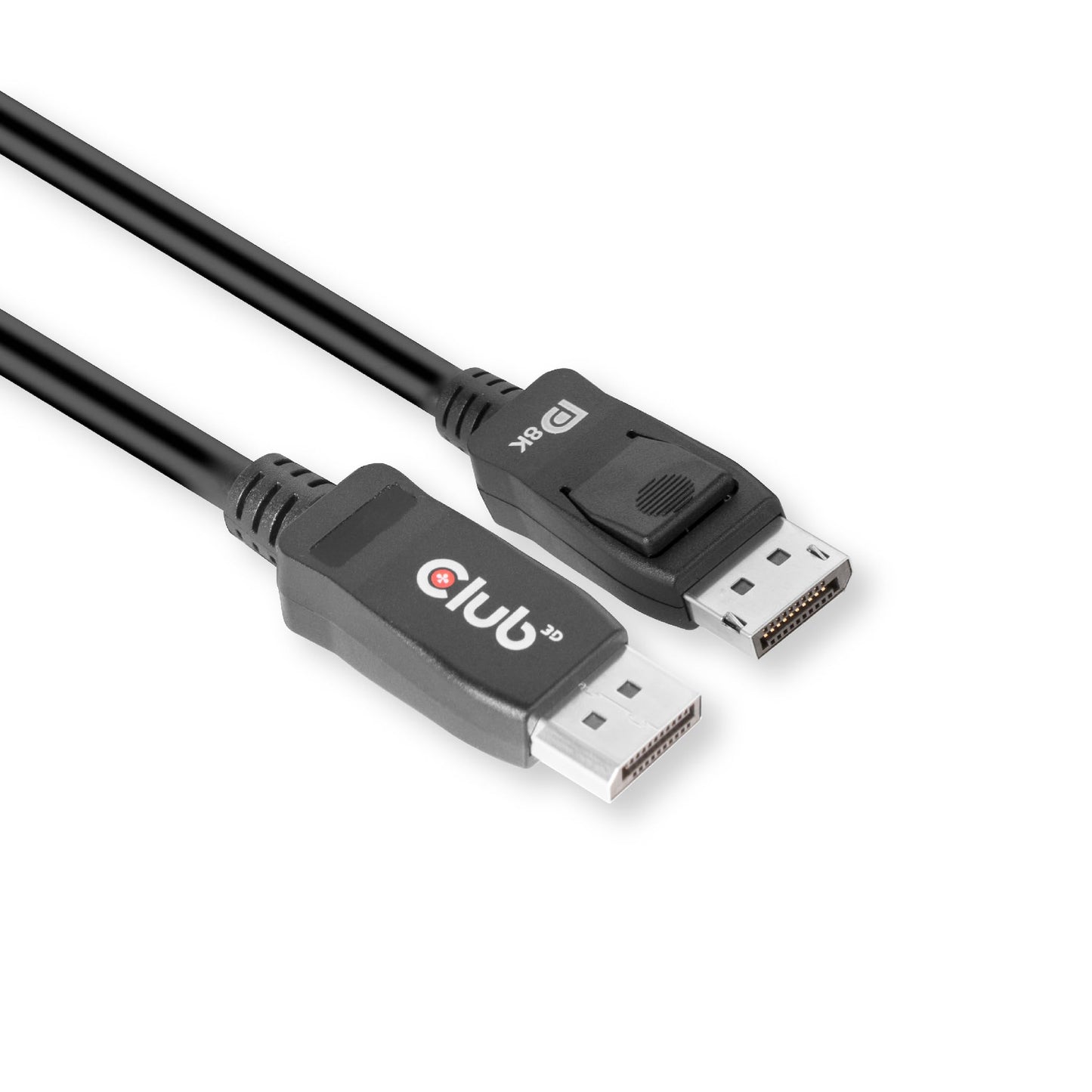
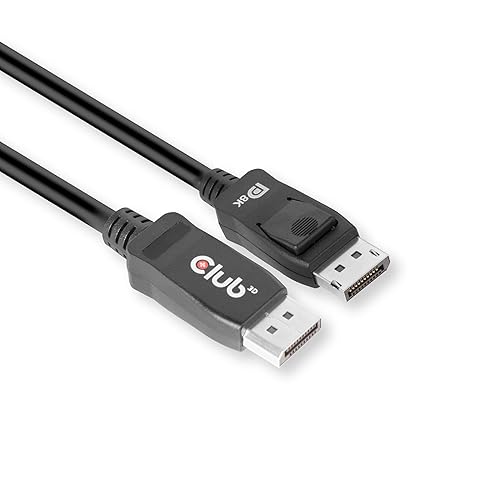
- Club3D CAC-2068 VESA Certified DisplayPort to DisplayPort 1.4/Hbr3 M/M Cable DP 1.4 8K 60Hz 2m - 6,56ft
Description
Brand: Club 3D
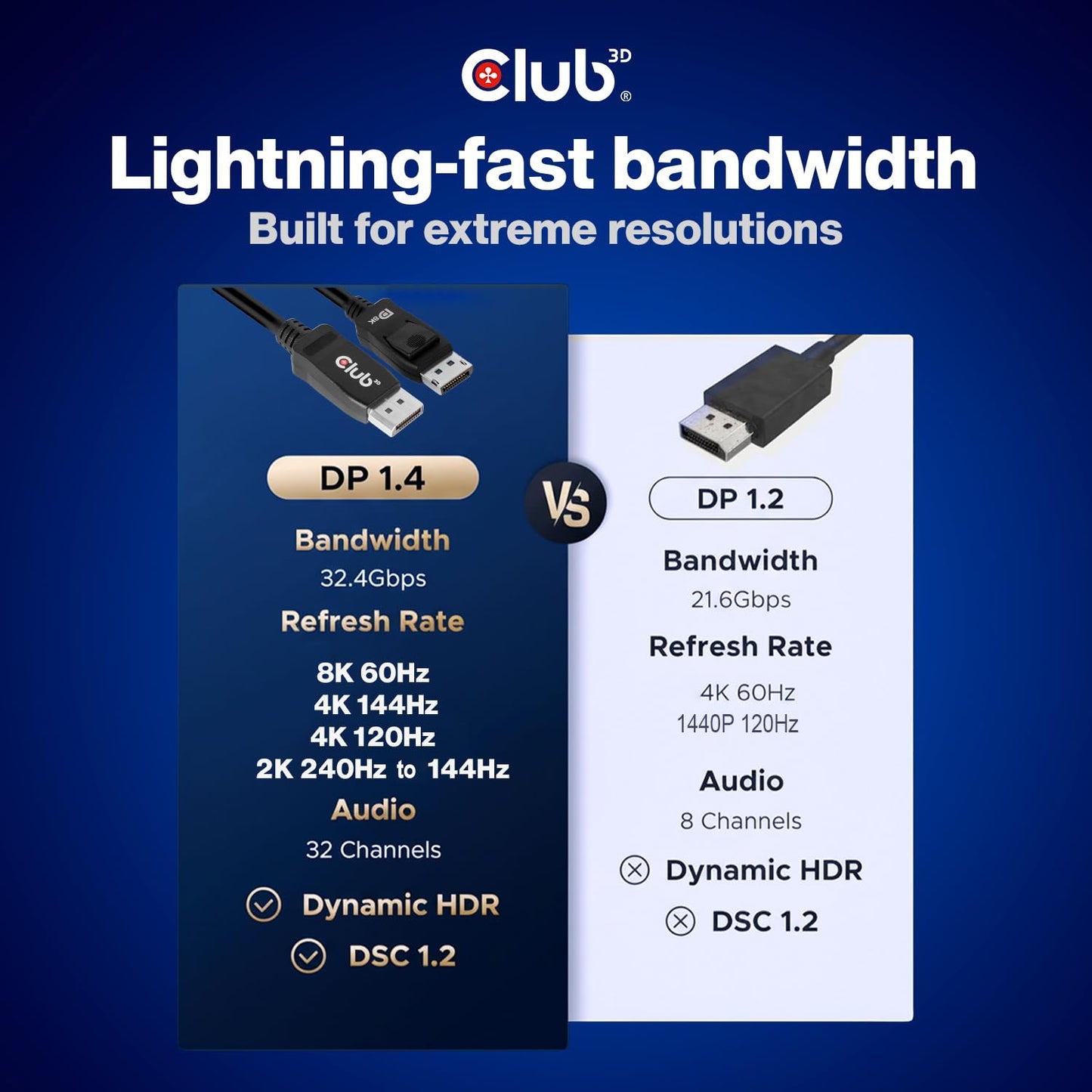
• HIGH QUALITY: Supports resolutions up to 8K @ 60Hz, 5K @ 60Hz and up to 4K UHD (3840x2160 @ 144Hz), making it ideal for use with high-resolution monitors and display devices. VESA Certified cable with 28 AWG copper and 3-layer shielding.
• HIGH BANDWIDTH: The DisplayPort 1.4 HBR3 Cable enables a fast and reliable connection of your DisplayPort supported device to an (Ultra) High Resolution Monitor or other DisplayPort supported device, supports 32.4 Gbps of bandwidth.
• ADVANCED FEATURES: DisplayPort 1.4 adds support for Display Stream Compression 1.2 (DSC), Forward Error Correction (FEC), and high Dynamic Range (HDR), allowing you to utilize all the features of your DisplayPort 1.4 port of your graphics card and monitors.
• BACKWARDS COMPATIBLE: This DisplayPort cable is fully DisplayPort Version 1.4 compliant and backwards compatible with older DisplayPort standards, 1.3, 1.2, and 1.1, and is covered by a 2-year warranty. Additionally, pin 20 is not assigned (no power supply) to avoid damage due to short-circuits.
• SECURE CONNECTION: With its locking DisplayPort connectors, the cable provides a secure, dependable connection. The built-in one-touch latch button allows for easy unlocking of the connector. The soft UltraFlex jacket of the cable protects it from bends and deformation damage, ensuring its durability. The cable is also flexible, making it easy to route and maneuver.
Color: black
Additional Information
Delivery Information
Swift, Secure, and Reliable Shipping
At craftedyogi.com, we understand how important fast and dependable delivery is when it comes to your electronics. Whether it's a gadget, accessory, or device, we are committed to providing a seamless and efficient shipping experience to ensure your electronics arrive safely and on time.
Our Shipping Process
Order Processing
As soon as you place your order, our dedicated team begins processing it promptly to ensure quick dispatch. We aim to ship all electronics within 2 business days of order confirmation, excluding weekends and holidays.
Secure Packaging
Your electronics are valuable, and we treat them with the highest level of care. Each item is carefully packed using high-quality, protective packaging materials to prevent damage during transit. We ensure your products arrive in excellent condition, ready to use.
Shipping Partners
We partner with reputable and trusted shipping carriers to guarantee safe and timely delivery. Once your order ships, you’ll receive a tracking number so you can monitor your package in real time and stay updated on its delivery status.
Transit Time
USA Shipping: 4–7 business days after dispatch.
Shipping Costs
We Offer free shipping for Domestic orders inside USA.
Delivery Support
Our customer support team is here to assist you every step of the way. If you have any questions about your order, shipping timelines, or tracking details, please feel free to contact us:
📧 Email: support@craftedyogi.com
We’re dedicated to ensuring your electronics reach you quickly and securely. Your satisfaction is our top priority.
Thank you for choosing craftedyogi.com for your electronics needs. We look forward to delivering innovation and convenience right to your doorstep. Unbox with confidence and enjoy your new technology!
Reviews
- 5 stars: 27 (68%)
- 4 stars: 8 (20%)
- 3 stars: 2 (5%)
- 2 stars: 3 (8%)
- 1 star: 0 (0%)
r
ruggedjet This cable instantly resolved an issue I had with electro static inference.I was previously using a different brand cable with nylon braiding.The issue I had was related my desk chair, a SecretLab Titan w/softweave fabric. The chair has accumulated some reports of causing an electrostatic discharge. This would cause my monitor to blink a couple of times every time I stood up. I could replicate this on demand.I ordered this cable from Club 3D and changed ONLY the cable on the affected monitor. I changed NOTHING else in my room. I no longer have an issue with the ESD causing inference.What is different about this cable? Its shielded much better. Its noticeably thicker than the brand it is replacing, and this is the case WITHOUT any nylon braiding (which does nothing for shielding, folks.) See the image I attached. The red arrow is pointing to another brand. The green arrow is pointing to the Club 3D cable. Significantly more build quality with Club 3D.Shielding is important on a longer monitor cable. The length I use is 3 meters.Having confirmed it is a great cable, I have bought a second one!
D
Dave K I want to start my review by stating the problem I had with this cable. I want to say that I have had this problem with other cables as well, however, I have other cables that never had this problem. The problem with this cable is that, for me, the cable does not fully insert into the DisplayPort on the back of my graphics card. The problem is the connector isn't long enough due to the PCI-E rear I/O bracket blocking access to my video outputs on the back of my graphics card. I have several pics and if you look closely, you can see that plastic housing around the DP connector is blocking the cable from inserting fully. I can't imagine how many people have had this problem, not knowing it was their cable at fault, or their case I guess you could say too. The first time this happened, it took me forever to track down the problem. That was a different case and a different cable, so it's not exactly a rare occurrence. I did end up modifying my cable, which is how it appears in the pictures. I did that to my other cable as well and it worked perfectly after that.So the black plastic bit just behind the connector tip is the problem, it sits out too close to the end of the connector. At this time, I have two other DisplayPort cables hooked and one other HDMI cable, and none of those have had any trouble, and the bracket for my case is in the same position for those outputs. This cables design is the problem.What I did to allow it to insert fully was, using my Dremmel, I very carefully cut away some of that plastic that was blocking it from fully inserting. If you're going to do this, you have to be very careful to not cut too deeply because there is a copper ground hooked up just underneath the plastic and you could easily damage that. After I cut away the plastic blocking access, I used hot glue to insulate it. Since there could easily be a grounding issue there if metal starts coming into contact with metal, and that would not be good.After I modified the cable it worked as it should. Although having to do this was irritating and time consuming for a brand new cable that costs what this cable costs.I wanted this cable so I could extend the DP cable for my my Rift S. I read a review that someone had luck with this cable, but trouble with some others with their Rift S, so I decided to go with this one. This is a DisplayPort 1.4 cable. That is the highest standard at this time. It's good for up to 8K 60hz, as well as HDR and G Sync.It worked for me by using an active DP 1.4 repeater along with this cable to extend the DP from my Rift S. The cable, aside from the issue I mentioned, seems pretty well made. It's VESA certified, which means it had to undergo testing to ensure it meets or exceeds the rated specifications for version 1.4. In order to put that on the box, it has to be tested. So with a VESA certified cable, you know you're getting a cable that will do exactly what it's intended to.This cable has locks on each connector to prevent the cable from getting yanked out. To be honest, I would prefer the cable not have those. I have had issues with those locks in the past with other cables, with cables getting stuck in a DisplayPort when they break. And having a cable get yanked out is a better alternative than the damage that could occur when it gets yanked on and can't move. These locks seem pretty decent so far. I have exceptionally strong hands, I've worked with my hands for 20 years. I put quite a bit of pressure on the lock release and it didn't break, so they should hold up pretty good.The thickness of the cable seems on point, the cable flexes as it should, it's not too rigid. This cable comes with a nice velcro strap on each end with Club3D printed on them. I really like that little addition. Although, they can occasionally get in the way.Due to the issue I had, I am rating this cable 3 stars. It's a 5 star cable assuming it works and fits for you out of the box, but for me, it's a 3 star cable for the hassle it put me through.
J
Jason These DisplayPort cables provide excellent performance for high-refresh-rate monitors. I ordered two of them—one for my main gaming monitor and one for my second screen. I use it with my 400Hz monitor to play CS2, and the bandwidth handles the extreme refresh rate perfectly without any flickering or signal drops.My only major issue came down to the physical durability when stretched. I use a standing desk that moves up and down, and when I fully extended the desk upward, the 2-meter cable ran out of slack and snapped surprisingly easily. Because of how fragile it proved to be under tension, I dropped my rating by one star. I definitely recommend the cable for its performance, but just make sure to buy a longer size than you think you need so it never gets stretched out enough to risk breaking.
K
Kt tal cual la imagen, aun lo tengo y sirve sin inconveniente alguno.
K
Kt tal cual la imagen, aun lo tengo y sirve sin inconveniente alguno.
R
Ricky B. I was impressed by how sturdy it appeared to be built. But it failed in less then 2 years with very little use.
S
Sigurd Product works great and arrived precisely on time. I am very satisfied with this cable as other cables I've used hasn't lived up to my expectations.Thank you so much!
S
Sigurd Product works great and arrived precisely on time. I am very satisfied with this cable as other cables I've used hasn't lived up to my expectations.Thank you so much!
E
Eric I tried several other DP cables before buying this one and they were all returned as failures. I am using a DP 4 port KVM for my computer so I can use one monitor for a desktop and a laptop. In this configuration, whenever I'd use my desktop to play a game or something graphically intensive, the display would cut out every so often or glitch--not conducive to fast-paced PVP games or any online game for that matter. I tried graphics settings, drivers, every configuration and different cables and lengths but nothing helped.I checked a Reddit thread on brand recommendations and keywords detailing my issues and this brand was recommended. I really did not think a different brand would make any difference as the other ones I ordered from Amazon were highly rated and had supposedly same or similar specs. It made a HUGE difference in every way. My display never cuts out during a game and seems to even be smoother overall with refresh rate and more.I definitely recommend this cable and this brand as they have quality cables that perform exactly how you want them to. I do however recommend sticking with the shortest length possible for any cable to cut down on any form of signal degradation and more.
S
Selldweller I was having some flickering issues at lower refresh rates and this cable seems to have helped with those issues the Amazon basics cable was having. Would definitely recommend just make sure the cable is completely snapped in. I initially thought it was faulty because of no image but I had to really press it for that click.
A
Amazon Customer After having my computer for a while, I was starting to experience a sync issue with my primary monitor. At first it was only once in a while (every few months or so). Over time, it increased to about once or twice a week. When I would turn on my computer or when I was toggling which monitors were in active use, my main monitor would suddenly act like it wasn't receiving a signal. Neither unplugging and re-plugging the DisplayPort cable, turning the monitor off and back on, nor restarting the computer would fix the issue. I would have to unplug and re-plug the monitor's POWER cord in order for it to go back to functioning properly.While troubleshooting, I read that DisplayPort, as a whole, is known for being rather fussy. Also, that the cable can actually have a rather large impact how cooperative things are. I was more-so thinking that either the graphics card or the monitor was the issue. Which, I do still think the issue is primarily on the monitor's side of things, from the behavior. But, I figured that trying a new cable was a cheaper first step.I don't remember where I got the cable that I was originally using. Though, I recall it being one that I felt was by a good company. Perhaps I just got a bad run, or something? -shrugs- But, I did some research for what was considered a good and reliable cable and was pointed to Club3D by some tech reviewers that I have pretty high respect toward. So, I grabbed this one.Jumping forward by a little over two years, now. I've had that annoying sync issue happen maybe two or three times, the whole time I've been using this Club3D cable. Which, I use my computer just about every day. So, yeah, definite improvement over the previous cable's habit of once or twice a week! I'm still suspicious that there's a quirk with my monitor. But, things have been behaving well enough for me to be content. So, I haven't bothered to delve any deeper.I haven't had a need for another DisplayPort cable, as of yet. But, when I do, this is very likely what I'll get (assuming it's still available when that time comes). I haven't heard any negative feedback from the friends I've suggested it to, either. So, it definitely gets my recommendation.
D
Dan D. I've gotten reputable-brand DP1.4 cables before which my Radeon 5700XT hated so much that my entire computer would freeze - not just video. I know that sounds ridiculous but AMD cards, as much as I love them - and especially the original RDNA1 generation - do have known issues with bad or marginal cables.I started buying Club3d based on the recommendation of Wendell from Level1Techs and they've been great. I use them with a L1T KVM switch, no problem. I try not to go beyond 2 meters when I'm using 2560x1440 or 4k.This particular review is for a cable I bought for a friend to replace the no-name cable she had got which was causing flickering. This fixed it for her.
Related Products
Recently viewed products
Shopping cart
close
-
WHAT ARE YOU LOOKING FOR?Search
- Login / Register
- Home
- Shop New
- page
- Blog
- Wishlist (0)
- Compare (0)
- Contact Us