Description
Brand: KLEAWARTE
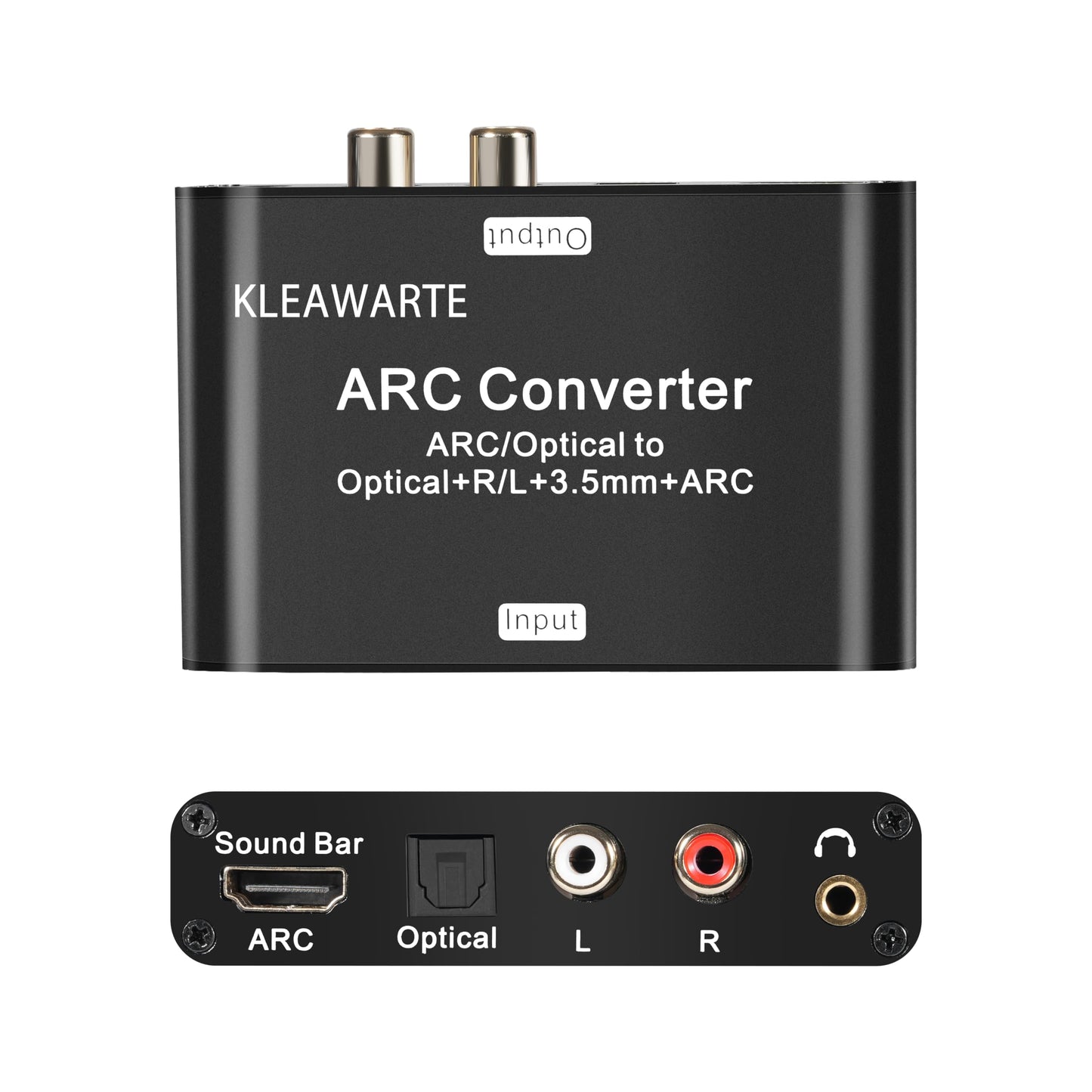
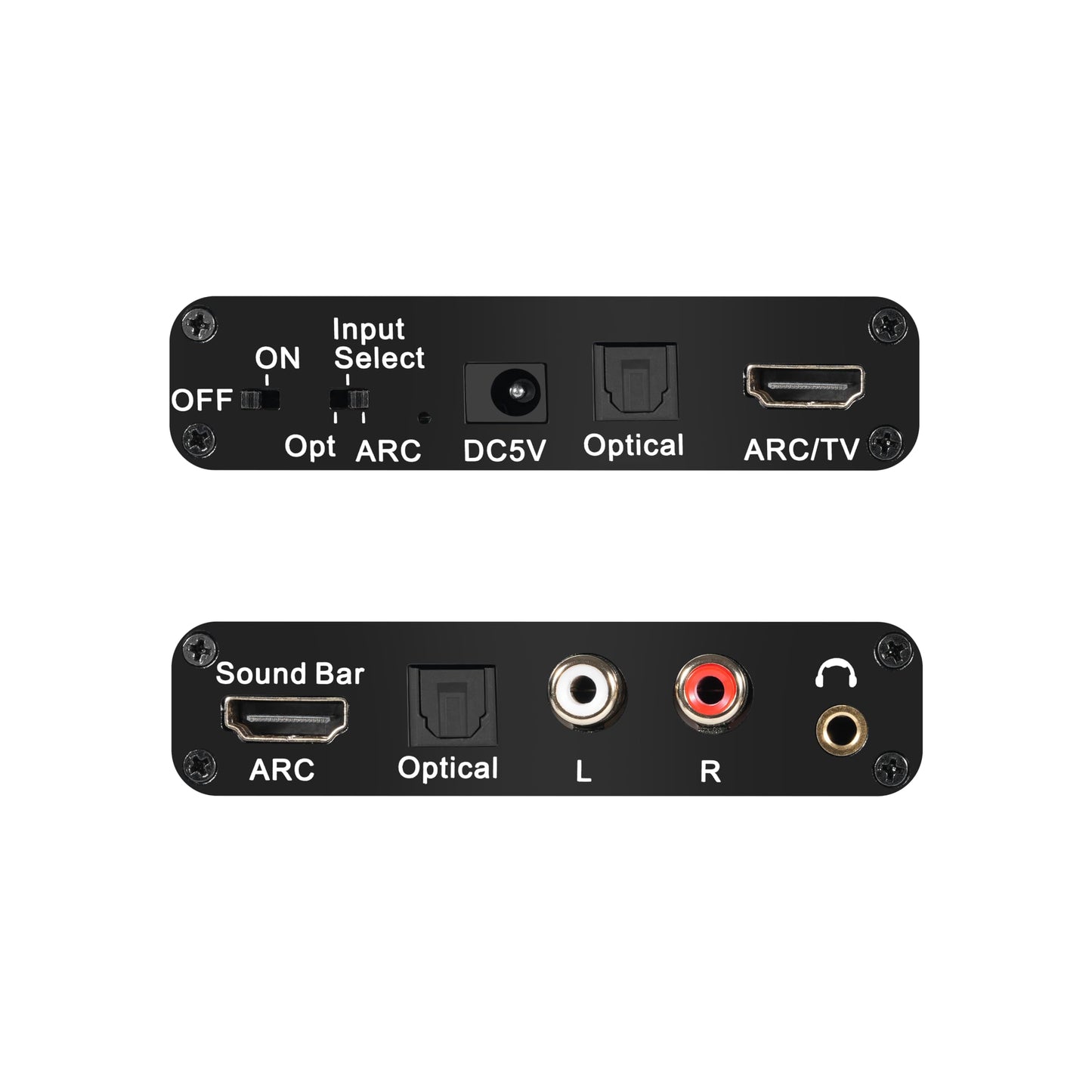
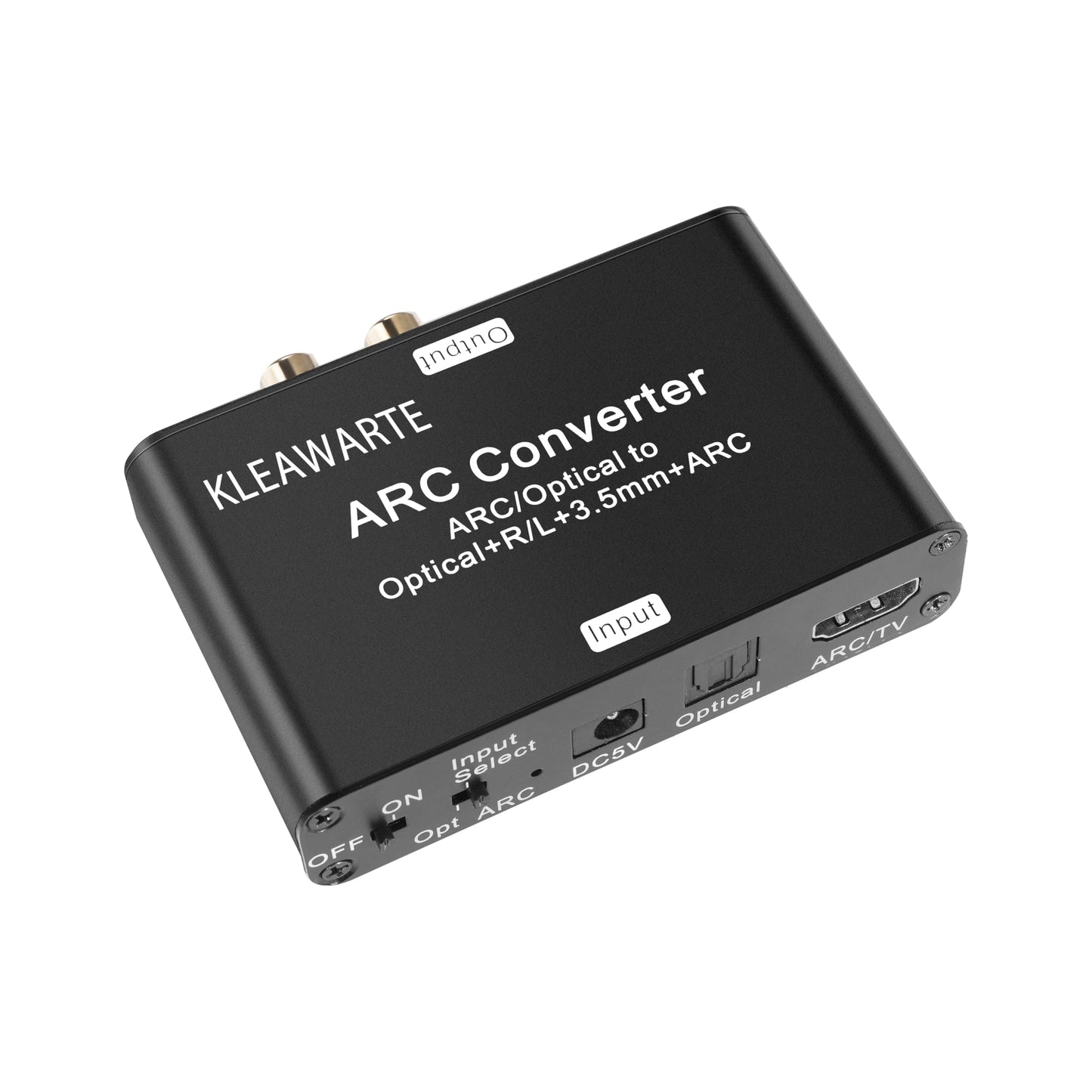
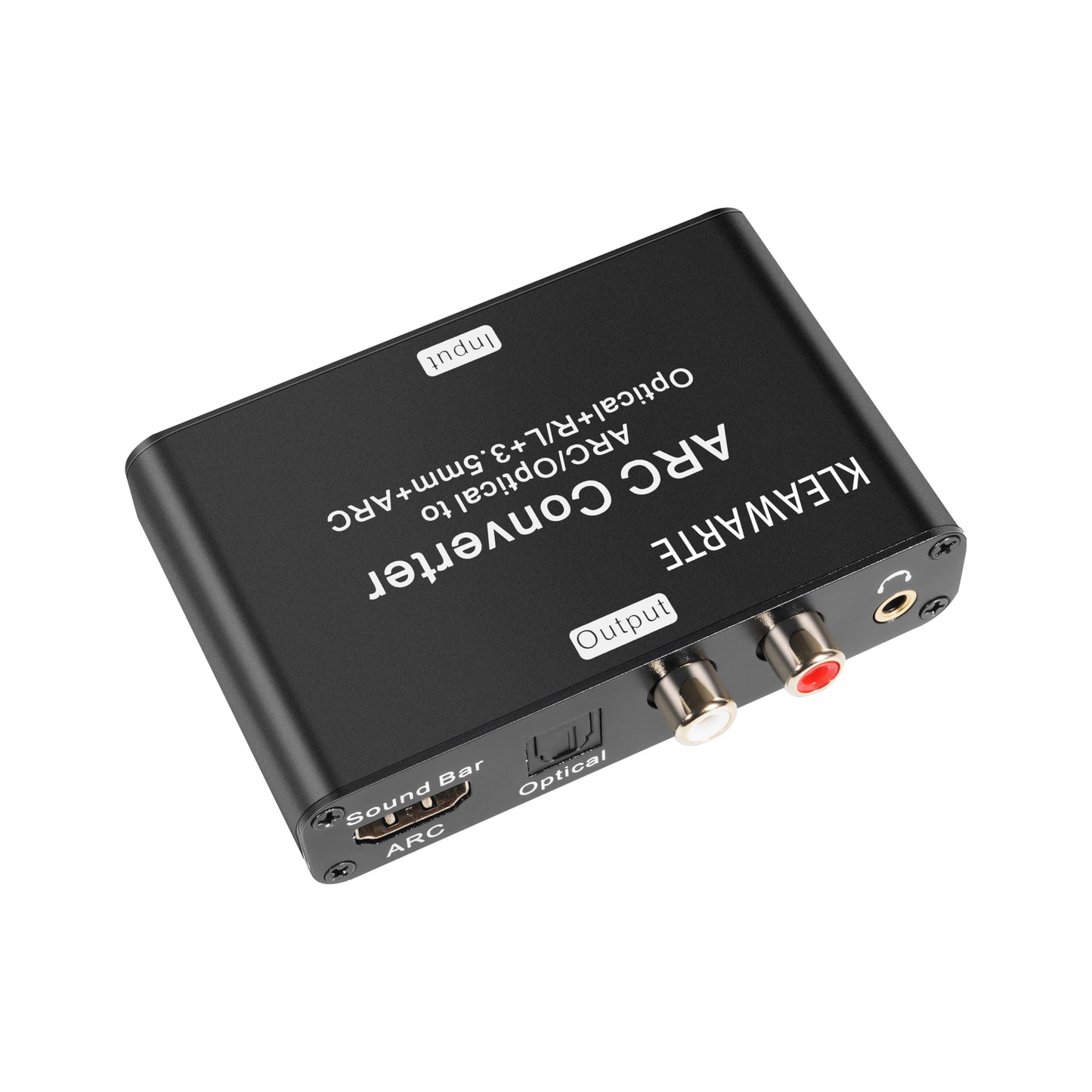
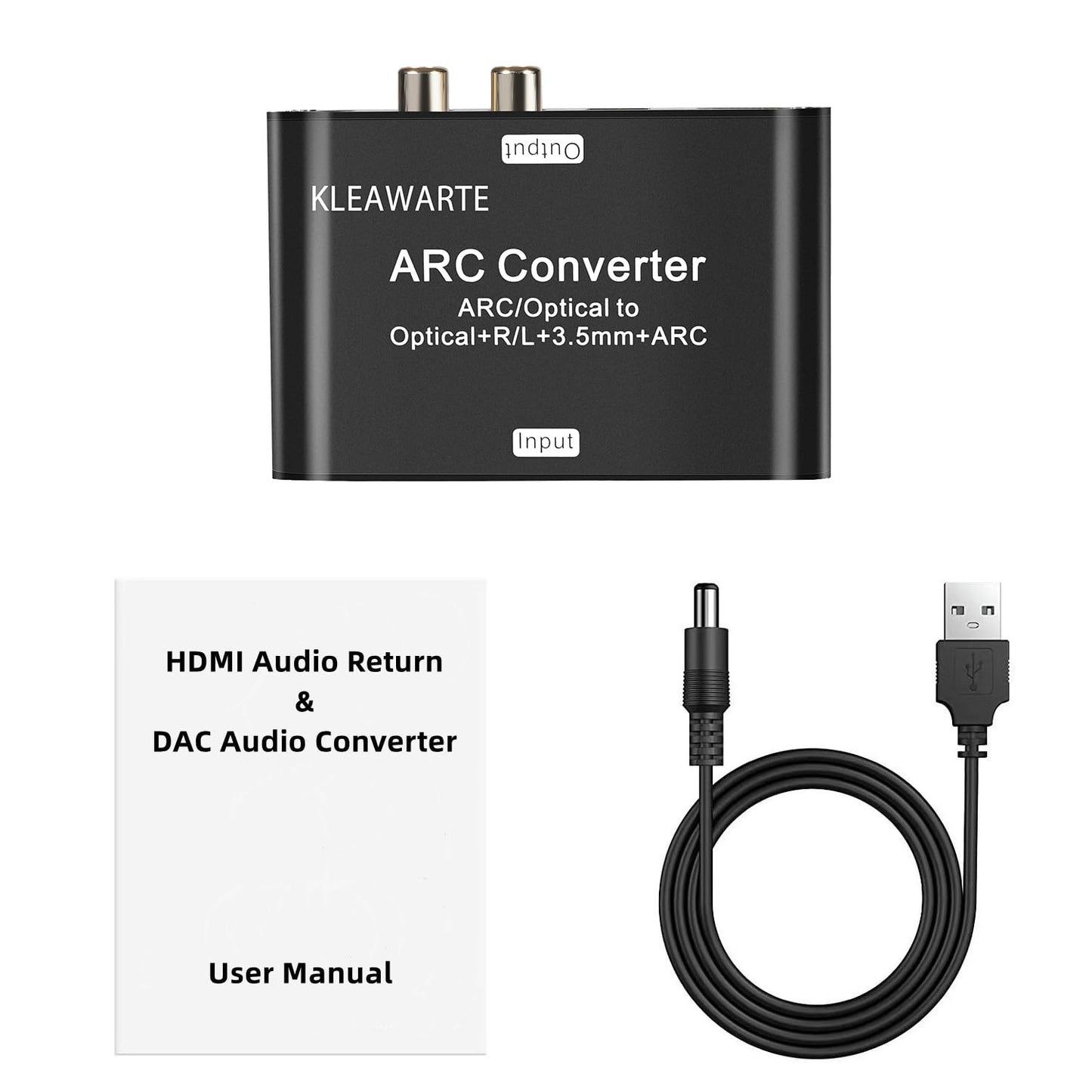
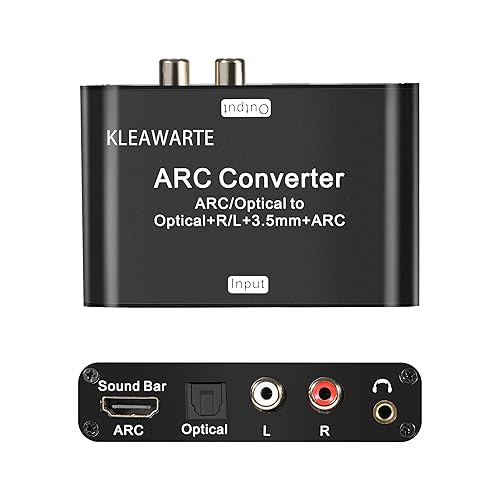
<p>This KLEAWARTE HDMI ARC audio adapter converts the Optical/SPDIF and ARC(HDMI) audio signal to ARC , Optical/SPDIF, L/R port, 3.5mm headphone jack prot of the adapter. Its four audio outputs, Optical/SPDIF HDMI ARC L/R 3.5mm Jack Stereo, can work at the same time. It is designed for for home theater, teaching, training structure, conference room, home appliance and so on.</p><p><br></p><p><strong>Connection and Operation:</strong></p><p>1. Connect the ARC/HDMI port of the converter with the HDMI/ARC port of TV through HDMI cable.</p><p>Note: Please connect to the HDMI interface of TV with ARC mark, or there will be no audio output.</p><p>2. Connect the converter's optical interface with the optical interface of the TV through an optical fiber cable.</p><p>3. Connect to the amplifier system from Optical/SPDIF port, ARC port and L/R 3.5mm Jack port with optical fiber cable, coaxial cable or RCA cable and 3.5mm audio cable. </p><p>4. Connect to Sound Bar from the ARC/HDMI port with an HDMI cable.</p><p>5. Connect the USB power supply cable to the DC 5V interface of the converter.</p><p>6. Turn on the converter and switch to the corresponding channel by flipping the switch.</p><p><br></p><p><strong>Product features:</strong></p><p>1. Shell material: aluminum</p><p>2. Colour: black</p><p>3. Power supply interface: DC5.5</p><p>4. Weight: 0.37lb</p><p><br></p><p><strong>Package includes:</strong></p><p>1 x ARC Audio Extractor</p><p>1 x USB Power Cable</p><p>1 x Users Manual</p><p><br></p><p><strong>Trouble-shooing guide;</strong></p><p><strong>Non-Power: </strong></p><p>1. Check whether the indicator light host is on. If not, check whether the power supply or power cord is correctly connected to the power interface of the converter.</p><p>2. Check whether the power supply is DC 5V or whether the current reaches 500mA.</p><p><strong>Non-Audio:</strong></p><p>1. Check whether the TV supports ARC function and make sure the input switch of the converter is in the corresponding position.</p><p>2. Make sure that the HDMI cable connected to the TV’s HDMI interface supports ARC function.</p><p>3. Make sure that the HDMI cable is AGW26 standard HDMI 1.4 version high-definition cable.</p><p><strong>Noise in the RCA interface and headphone interface:</strong></p><p>1. Set the TV to stereo output (PCM/LPCM 2-channel output) </p>
• Dual-Input Flexibility: Supports simultaneous input from HDMI ARC and Optical/SPDIF (TOSLINK), compatible with TVs, projectors, gaming consoles, and streaming devices. Built-in physical toggle switch for instant input selection
• Quad-Sync Output Technology: All four interfaces operate concurrently without signal compromise: HDMI ARC passthrough (maintains video signal integrity)Optical/SPDIF (TOSLINK digital audio)/L/R Stereo RCA (analog output)/3.5mm AUX (headphone)
• When using ARC/HDMI input, please conect the TV's HDMI/ARC port and the KLEAWARTE adapter's ARC port via HMID cable. Make sure to use AGW26 standard HDMI 1.4 cable. The HDMI 1.3 cable does not support ARC function.
• Advanced DAC Conversion Engine: supports conversion of digital audio fiber signals to analog stereo signals. (Not compatible with Dolby AC3/Dolby Digital Plus. Please set the audio output to PCM or LPCM before use)
• Wide application: Compatible with Blu-ray DVD, TV Box, Game playstation consoles, PS3, PS4, all HDTVs with ARC function and all Soundbar, speakers with optical, HDMI ARC, RCA and 3.5mm audio port devices.
<p>This KLEAWARTE HDMI ARC audio adapter converts the Optical/SPDIF and ARC(HDMI) audio signal to ARC , Optical/SPDIF, L/R port, 3.5mm headphone jack prot of the adapter. Its four audio outputs, Optical/SPDIF HDMI ARC L/R 3.5mm Jack Stereo, can work at the same time. It is designed for for home theater, teaching, training structure, conference room, home appliance and so on.</p><p><br></p><p><strong>Connection and Operation:</strong></p><p>1. Connect the ARC/HDMI port of the converter with the HDMI/ARC port of TV through HDMI cable.</p><p>Note: Please connect to the HDMI interface of TV with ARC mark, or there will be no audio output.</p><p>2. Connect the converter's optical interface with the optical interface of the TV through an optical fiber cable.</p><p>3. Connect to the amplifier system from Optical/SPDIF port, ARC port and L/R 3.5mm Jack port with optical fiber cable, coaxial cable or RCA cable and 3.5mm audio cable. </p><p>4. Connect to Sound Bar from the ARC/HDMI port with an HDMI cable.</p><p>5. Connect the USB power supply cable to the DC 5V interface of the converter.</p><p>6. Turn on the converter and switch to the corresponding channel by flipping the switch.</p><p><br></p><p><strong>Product features:</strong></p><p>1. Shell material: aluminum</p><p>2. Colour: black</p><p>3. Power supply interface: DC5.5</p><p>4. Weight: 0.37lb</p><p><br></p><p><strong>Package includes:</strong></p><p>1 x ARC Audio Extractor</p><p>1 x USB Power Cable</p><p>1 x Users Manual</p><p><br></p><p><strong>Trouble-shooing guide;</strong></p><p><strong>Non-Power: </strong></p><p>1. Check whether the indicator light host is on. If not, check whether the power supply or power cord is correctly connected to the power interface of the converter.</p><p>2. Check whether the power supply is DC 5V or whether the current reaches 500mA.</p><p><strong>Non-Audio:</strong></p><p>1. Check whether the TV supports ARC function and make sure the input switch of the converter is in the corresponding position.</p><p>2. Make sure that the HDMI cable connected to the TV’s HDMI interface supports ARC function.</p><p>3. Make sure that the HDMI cable is AGW26 standard HDMI 1.4 version high-definition cable.</p><p><strong>Noise in the RCA interface and headphone interface:</strong></p><p>1. Set the TV to stereo output (PCM/LPCM 2-channel output) </p>
• Dual-Input Flexibility: Supports simultaneous input from HDMI ARC and Optical/SPDIF (TOSLINK), compatible with TVs, projectors, gaming consoles, and streaming devices. Built-in physical toggle switch for instant input selection
• Quad-Sync Output Technology: All four interfaces operate concurrently without signal compromise: HDMI ARC passthrough (maintains video signal integrity)Optical/SPDIF (TOSLINK digital audio)/L/R Stereo RCA (analog output)/3.5mm AUX (headphone)
• When using ARC/HDMI input, please conect the TV's HDMI/ARC port and the KLEAWARTE adapter's ARC port via HMID cable. Make sure to use AGW26 standard HDMI 1.4 cable. The HDMI 1.3 cable does not support ARC function.
• Advanced DAC Conversion Engine: supports conversion of digital audio fiber signals to analog stereo signals. (Not compatible with Dolby AC3/Dolby Digital Plus. Please set the audio output to PCM or LPCM before use)
• Wide application: Compatible with Blu-ray DVD, TV Box, Game playstation consoles, PS3, PS4, all HDTVs with ARC function and all Soundbar, speakers with optical, HDMI ARC, RCA and 3.5mm audio port devices.
Additional Information
Delivery Information
Swift, Secure, and Reliable Shipping
At craftedyogi.com, we understand how important fast and dependable delivery is when it comes to your electronics. Whether it's a gadget, accessory, or device, we are committed to providing a seamless and efficient shipping experience to ensure your electronics arrive safely and on time.
Our Shipping Process
Order Processing
As soon as you place your order, our dedicated team begins processing it promptly to ensure quick dispatch. We aim to ship all electronics within 2 business days of order confirmation, excluding weekends and holidays.
Secure Packaging
Your electronics are valuable, and we treat them with the highest level of care. Each item is carefully packed using high-quality, protective packaging materials to prevent damage during transit. We ensure your products arrive in excellent condition, ready to use.
Shipping Partners
We partner with reputable and trusted shipping carriers to guarantee safe and timely delivery. Once your order ships, you’ll receive a tracking number so you can monitor your package in real time and stay updated on its delivery status.
Transit Time
USA Shipping: 4–7 business days after dispatch.
Shipping Costs
We Offer free shipping for Domestic orders inside USA.
Delivery Support
Our customer support team is here to assist you every step of the way. If you have any questions about your order, shipping timelines, or tracking details, please feel free to contact us:
📧 Email: support@craftedyogi.com
We’re dedicated to ensuring your electronics reach you quickly and securely. Your satisfaction is our top priority.
Thank you for choosing craftedyogi.com for your electronics needs. We look forward to delivering innovation and convenience right to your doorstep. Unbox with confidence and enjoy your new technology!
Reviews
My Wishlist
Wishlist is empty.
Compare
Shopping cart


