Description
Brand: Unstincer
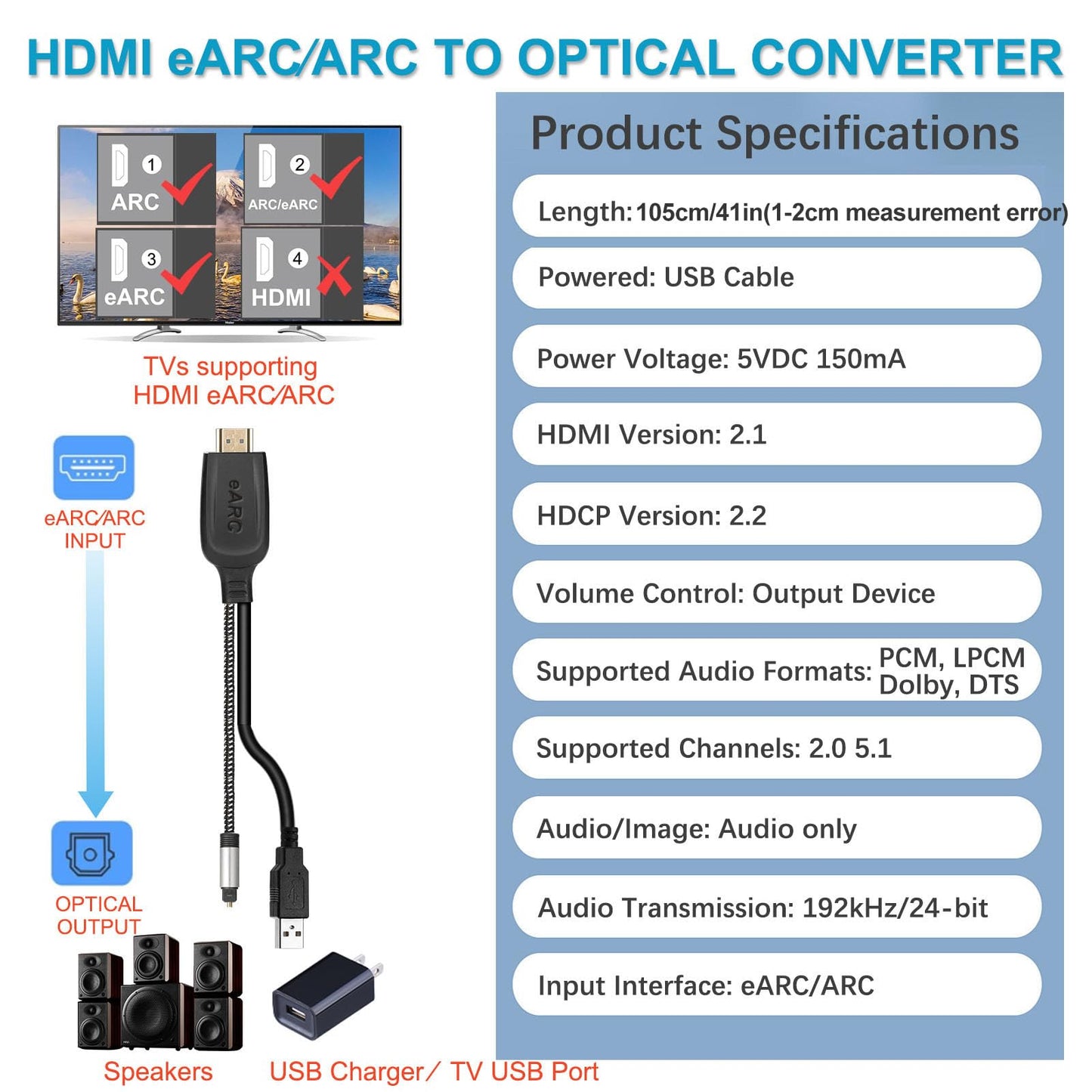
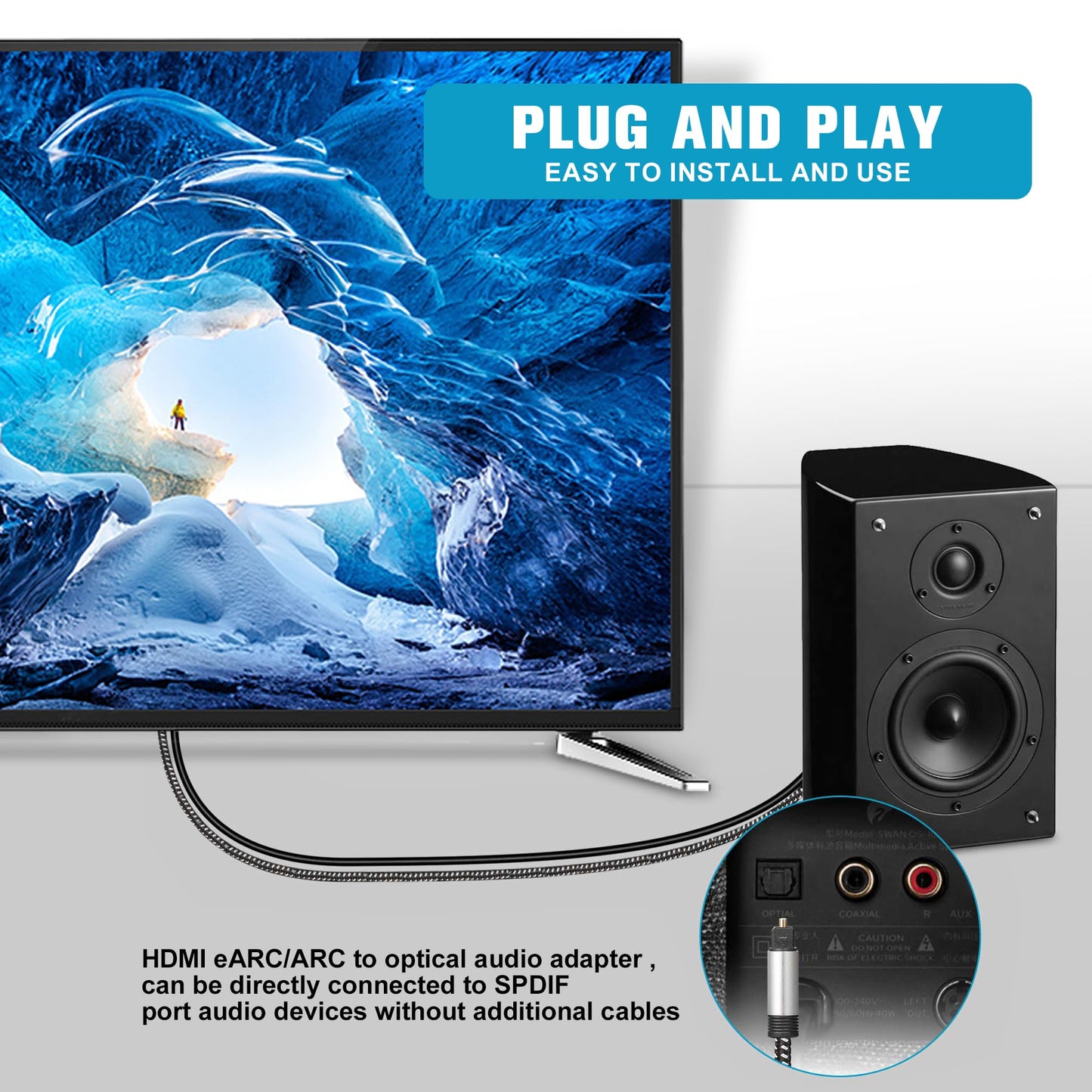
HDMI eARC/ARC to Optical Audio Converter Please connect all cables:1.Plug the HDMl cable into the ARC or eARC port on your TV 2.Plug the optical cable into the speaker SPDIF port 3.Plug the USB cable into the charger or TV USB port ?NOTE:Not supported for reverse connections? 1. Set the TV's audio output to ARC or eARC 2.Set Audio Format to PCM. 3.Turn on CEC?Refer to the TV's user manual for setup
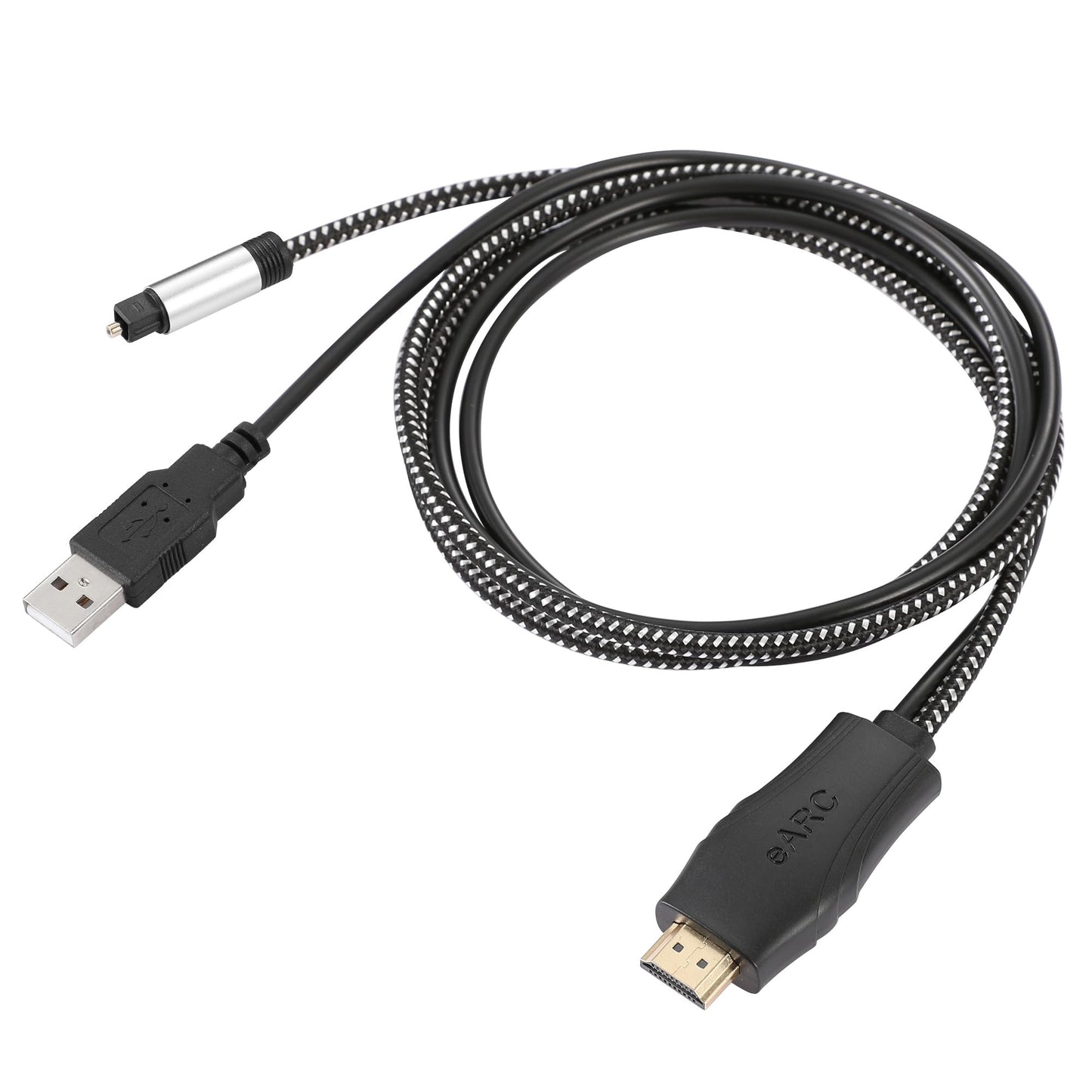
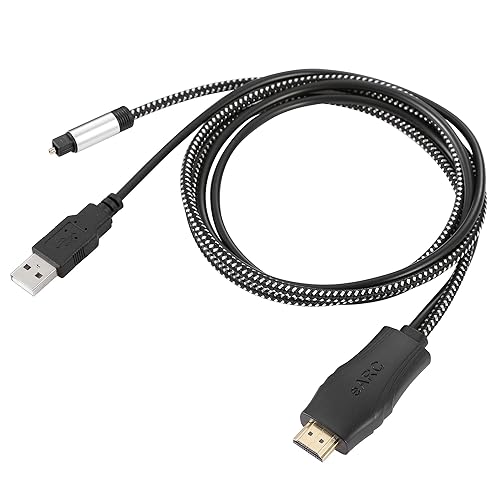
• HDMI eARC to Optical Cable(1.05m/41in): The eARC Audio Extractor connects to an eARC or ARC-compatible TV, allowing the TV's audio to be transmitted to a sound system via the converter's built-in optical SPDIF digital audio cable. The eARC audio converter Only for TV with “eARC” or ''ARC'' interface. Please make sure your TV supports the ARC feature and set the audio output to “ARC/EARC” and set the audio format to PCM
• Plug and Play: This eARC/ARC audio converter eliminates the need for additional cables or conventers, and serves as a bridge between the TV and sound system. Plug-and-Play. Easy to install and use. It is ideal for home theaters, meeting, conference rooms, and other settings.?Length Confirmation: This cable is 3 ft (approx. 41 inches) long. Please measure the distance between your TV and audio equipment.?
• Clear Sound Quality: Supports 24-bit/192kHz audio sampling rate. Ensures pure sound quality. Make the eARC Audio Connector a convenient option for your home entertainment by seamlessly connecting your TV to your soundbar
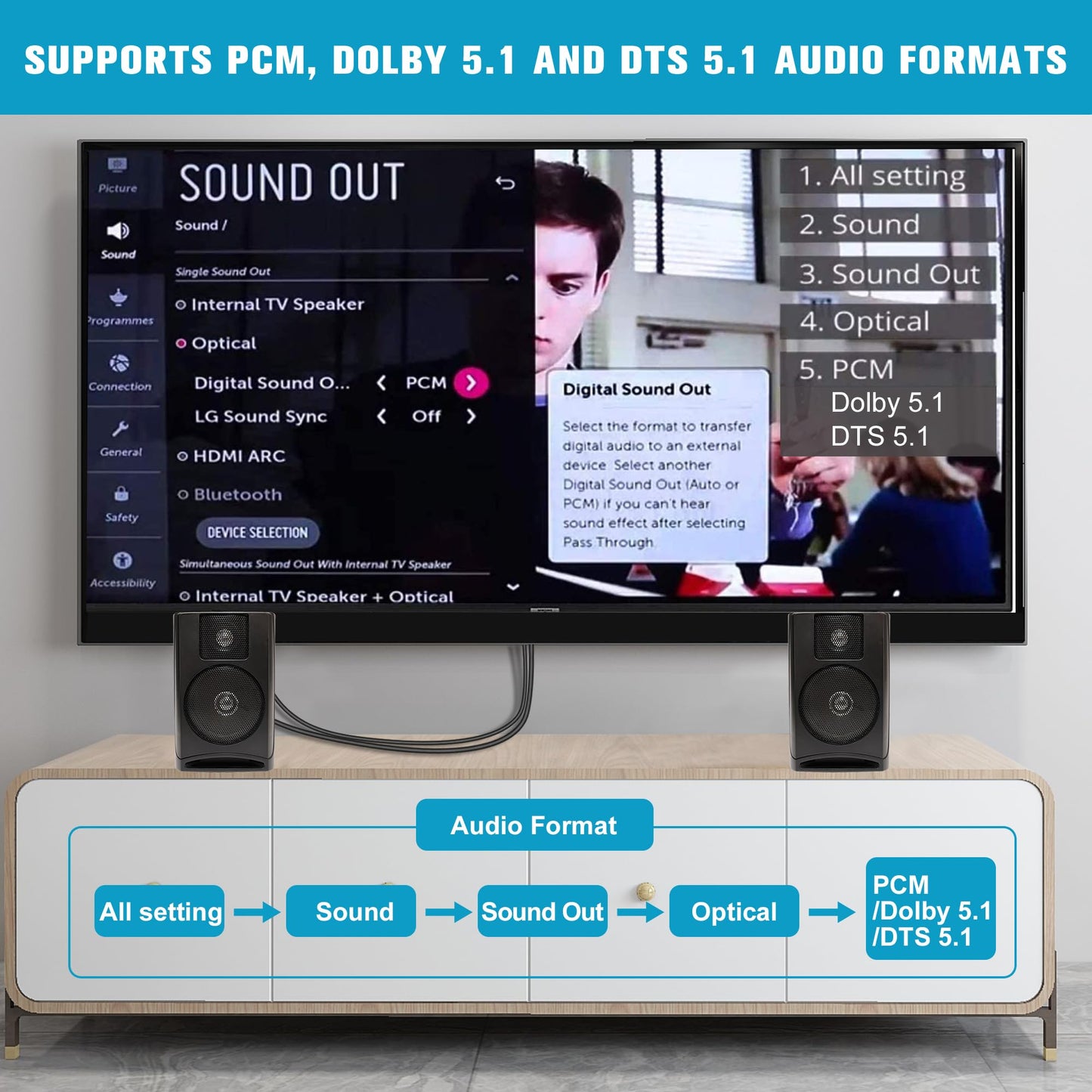
• Audio Formats Setting: Compatible with multiple audio Formats. Set the TV Audio Formats to PCM, Dolby 5.1 or DTS 5.1. Bringing you high-quality audio for an immersive entertainment experience. If using Dolby 5.1 or DTS 5.1 audio formats, the sound system also need support Dolby Audio or DTS
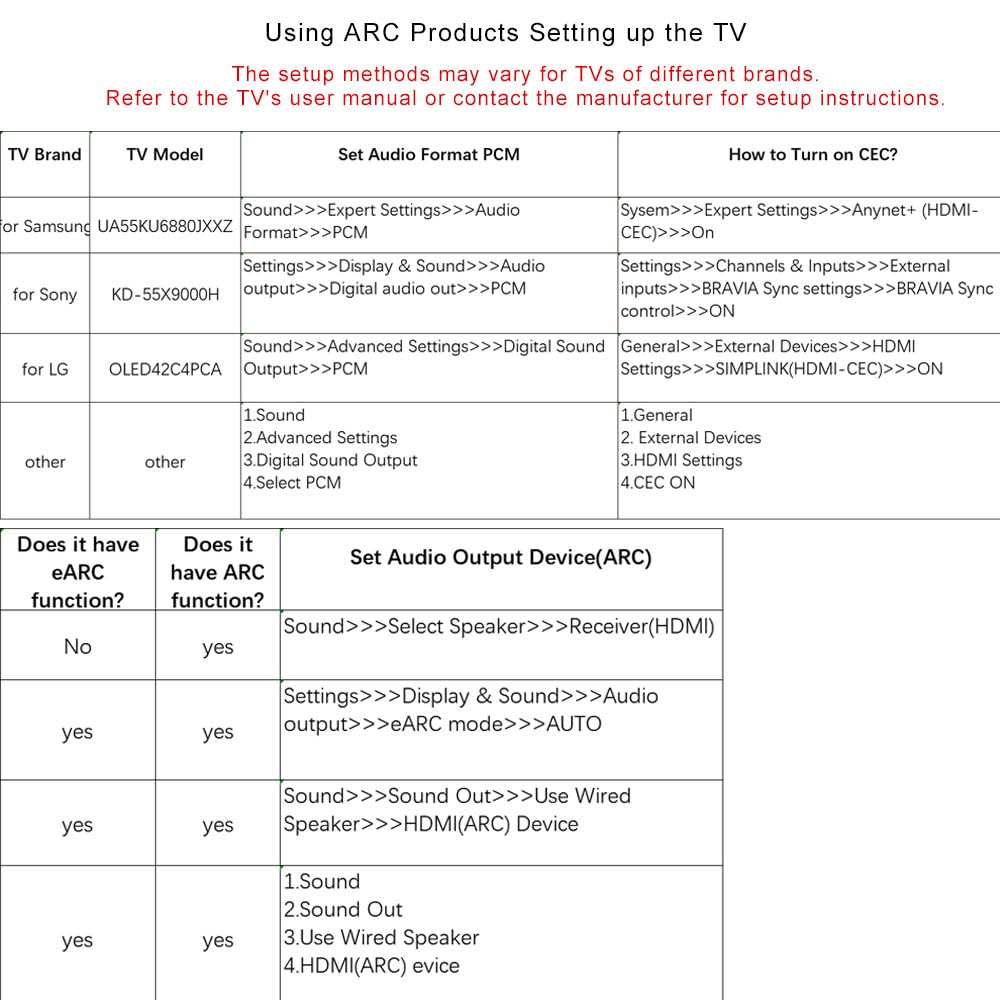
• Note: Connect the eARC/ARC audio converter's USB cable to your TV's USB port or another USB-compatible port. LED indicator will lights up when HD interface is connected. Using eARC/ARC Audio Adapter Setting up the TV(1.Insert the HD plug of the eARC/ARC Audio Converter into the TV's eARC or ARC interface of the TV set. 2. Set the TV's audio output to ARC or eARC 3.Set Audio Format to PCM. 4.Turn on CEC 4.Refer to the TV's user manual for setup
Model: UN-E003-US
Color: Black
HDMI eARC/ARC to Optical Audio Converter Please connect all cables:1.Plug the HDMl cable into the ARC or eARC port on your TV 2.Plug the optical cable into the speaker SPDIF port 3.Plug the USB cable into the charger or TV USB port ?NOTE:Not supported for reverse connections? 1. Set the TV's audio output to ARC or eARC 2.Set Audio Format to PCM. 3.Turn on CEC?Refer to the TV's user manual for setup
• HDMI eARC to Optical Cable(1.05m/41in): The eARC Audio Extractor connects to an eARC or ARC-compatible TV, allowing the TV's audio to be transmitted to a sound system via the converter's built-in optical SPDIF digital audio cable. The eARC audio converter Only for TV with “eARC” or ''ARC'' interface. Please make sure your TV supports the ARC feature and set the audio output to “ARC/EARC” and set the audio format to PCM
• Plug and Play: This eARC/ARC audio converter eliminates the need for additional cables or conventers, and serves as a bridge between the TV and sound system. Plug-and-Play. Easy to install and use. It is ideal for home theaters, meeting, conference rooms, and other settings.?Length Confirmation: This cable is 3 ft (approx. 41 inches) long. Please measure the distance between your TV and audio equipment.?
• Clear Sound Quality: Supports 24-bit/192kHz audio sampling rate. Ensures pure sound quality. Make the eARC Audio Connector a convenient option for your home entertainment by seamlessly connecting your TV to your soundbar
• Audio Formats Setting: Compatible with multiple audio Formats. Set the TV Audio Formats to PCM, Dolby 5.1 or DTS 5.1. Bringing you high-quality audio for an immersive entertainment experience. If using Dolby 5.1 or DTS 5.1 audio formats, the sound system also need support Dolby Audio or DTS
• Note: Connect the eARC/ARC audio converter's USB cable to your TV's USB port or another USB-compatible port. LED indicator will lights up when HD interface is connected. Using eARC/ARC Audio Adapter Setting up the TV(1.Insert the HD plug of the eARC/ARC Audio Converter into the TV's eARC or ARC interface of the TV set. 2. Set the TV's audio output to ARC or eARC 3.Set Audio Format to PCM. 4.Turn on CEC 4.Refer to the TV's user manual for setup
Model: UN-E003-US
Color: Black
Additional Information
Delivery Information
Swift, Secure, and Reliable Shipping
At craftedyogi.com, we understand how important fast and dependable delivery is when it comes to your electronics. Whether it's a gadget, accessory, or device, we are committed to providing a seamless and efficient shipping experience to ensure your electronics arrive safely and on time.
Our Shipping Process
Order Processing
As soon as you place your order, our dedicated team begins processing it promptly to ensure quick dispatch. We aim to ship all electronics within 2 business days of order confirmation, excluding weekends and holidays.
Secure Packaging
Your electronics are valuable, and we treat them with the highest level of care. Each item is carefully packed using high-quality, protective packaging materials to prevent damage during transit. We ensure your products arrive in excellent condition, ready to use.
Shipping Partners
We partner with reputable and trusted shipping carriers to guarantee safe and timely delivery. Once your order ships, you’ll receive a tracking number so you can monitor your package in real time and stay updated on its delivery status.
Transit Time
USA Shipping: 4–7 business days after dispatch.
Shipping Costs
We Offer free shipping for Domestic orders inside USA.
Delivery Support
Our customer support team is here to assist you every step of the way. If you have any questions about your order, shipping timelines, or tracking details, please feel free to contact us:
📧 Email: support@craftedyogi.com
We’re dedicated to ensuring your electronics reach you quickly and securely. Your satisfaction is our top priority.
Thank you for choosing craftedyogi.com for your electronics needs. We look forward to delivering innovation and convenience right to your doorstep. Unbox with confidence and enjoy your new technology!
Reviews
My Wishlist
Wishlist is empty.
Compare
Shopping cart


